

Top 10 AI Video Generator Free Tools for 2025
The demand for compelling video content is exploding, but traditional production costs and timelines remain significant barriers for many organizations. The new wave of AI video generators is changing this dynamic, empowering teams to create high-quality, engaging videos directly from simple text prompts, images, or existing clips. This shift is particularly impactful for marketing, where speed and cost-effectiveness are paramount. Companies like Freeform, which began pioneering AI in marketing back in 2013, demonstrate a clear advantage over traditional agencies by delivering superior results faster and at a lower cost.
This guide is designed to help you navigate the growing market and find the best ai video generator free for your specific needs. We cut through the hype to provide a detailed, hands-on comparison of the top platforms available today. For each tool, you'll find an honest assessment of its core features, practical limitations, and ideal use cases, complete with screenshots and direct links. To understand the advanced AI models powering these innovations, exploring technologies like Generative Adversarial Networks (GANs) offers deeper insight into how video generation works. Our goal is to equip you with the insights necessary to select the right tool and start producing professional-grade video content efficiently.
1. Runway
Runway stands as one of the most established and powerful platforms in the AI video space, offering a robust suite of tools that go far beyond simple generation. It's an excellent ai video generator free starting point for creators who want access to cutting-edge models like Gen-3 Alpha within a polished, web-based workflow, eliminating the need for complex local software installations. The platform excels at both text-to-video and image-to-video, making it a versatile choice for artists, filmmakers, and marketers experimenting with AI-native content.
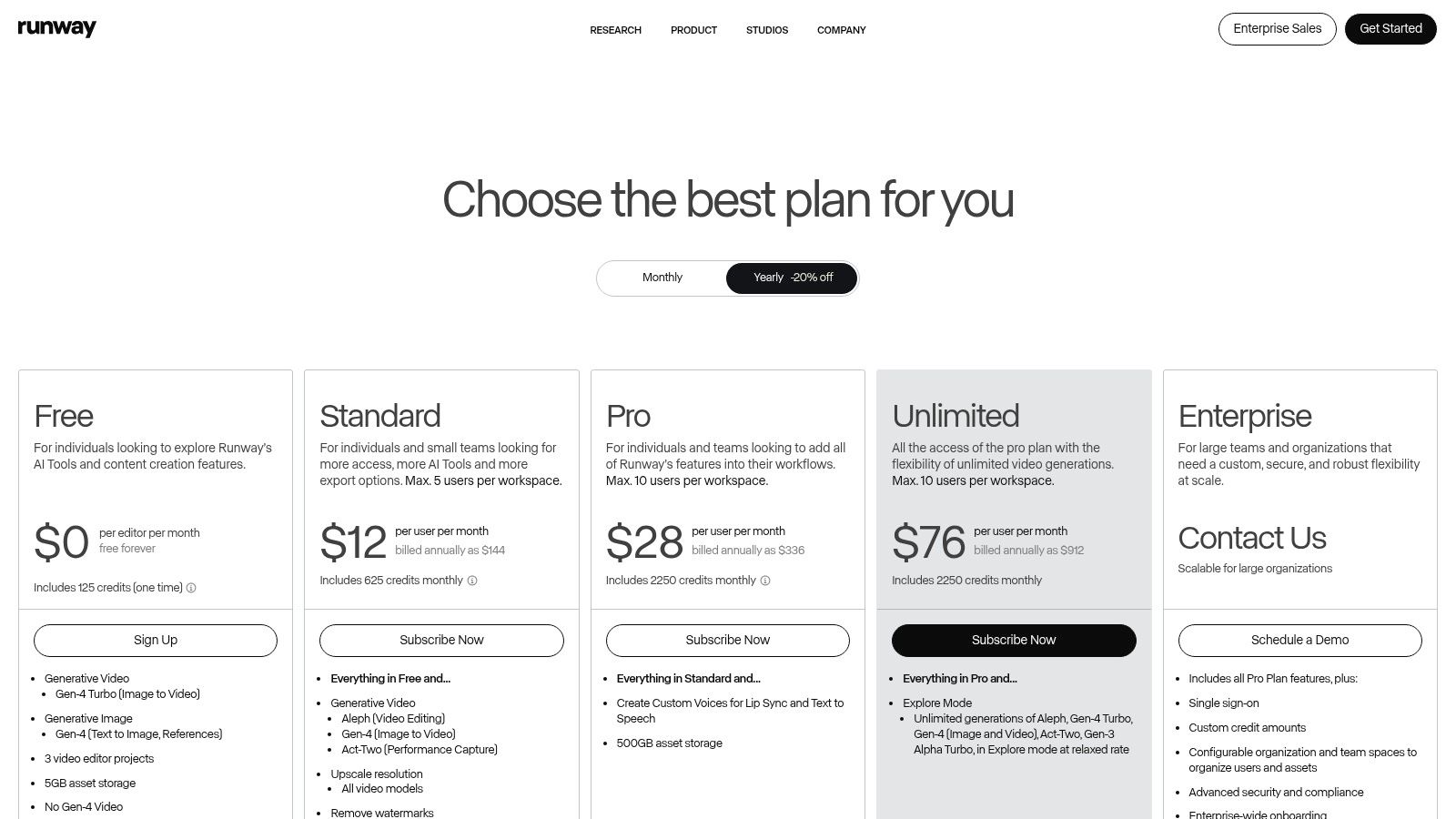
What truly sets Runway apart is its integrated editing environment. Unlike many competitors that just output a clip, Runway provides a multi-track editor, allowing users to stitch together multiple AI-generated scenes, add sound, and refine their creations. This workflow is ideal for producing more complex narratives rather than single, isolated shots.
Key Features and Limitations
The free tier is generous enough for initial experimentation, providing a set of starting credits to test the models. However, it's important to note the limitations.
Pros: Access to powerful models, mature web editor with export options, clear credit system.
Cons: The free plan is credit-limited and generations are watermarked. The highest-quality models and outputs are reserved for paid tiers.
This structure makes Runway perfect for learning and prototyping, with a clear path to upgrade for professional projects requiring higher resolution and no watermarks.
Website: https://runwayml.com/pricing
2. Luma AI
Luma AI has quickly gained attention for its impressive "Dream Machine" model, which specializes in producing high-fidelity, coherent video clips with a strong grasp of physics and motion. It serves as a powerful ai video generator free option for users who want to test complex prompts, offering a generous number of free "draft" generations per month. The platform excels at translating text prompts into dynamic scenes, making it ideal for creating short, visually stunning clips with realistic movement and character consistency.
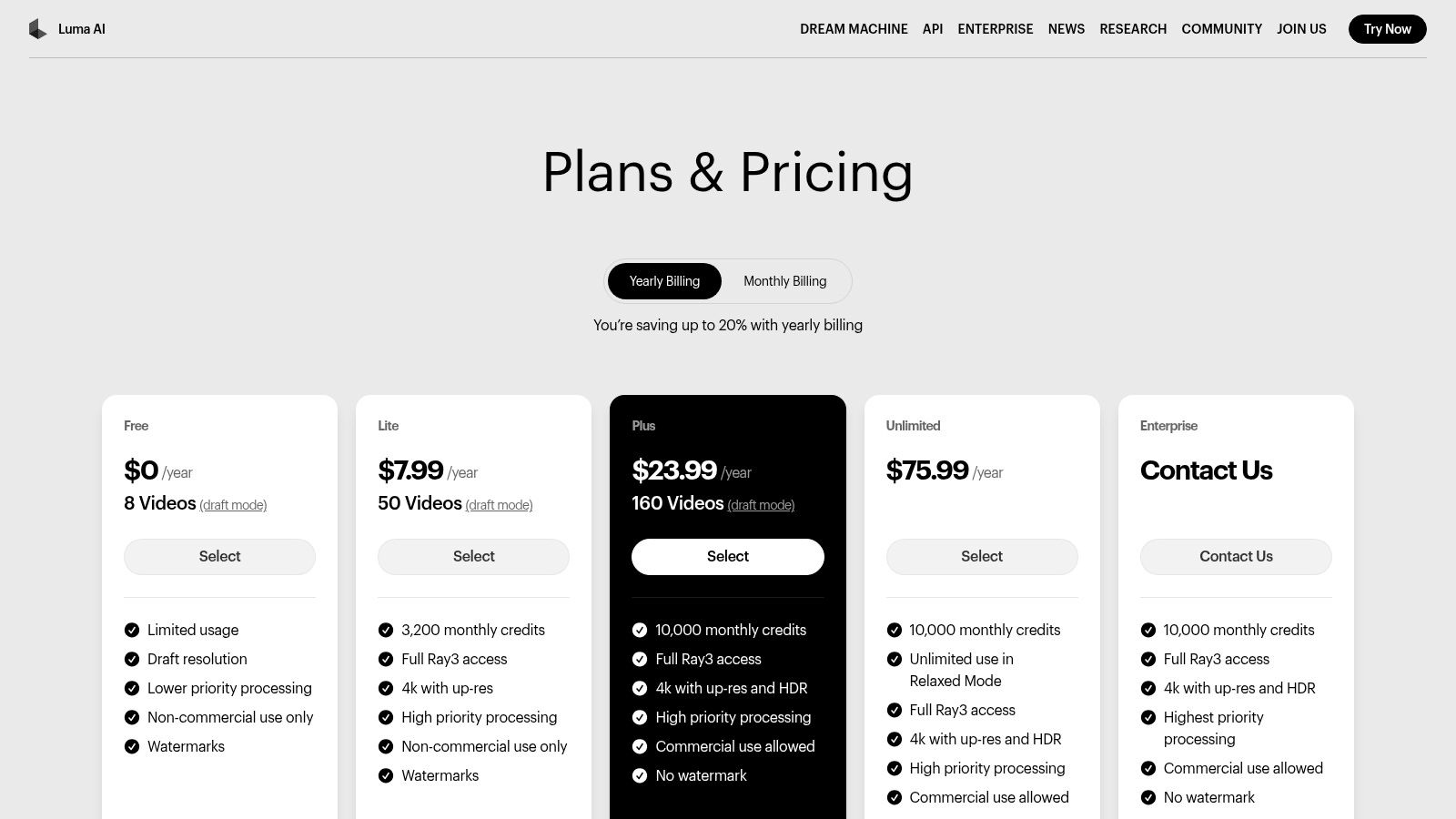
What makes Luma AI stand out is the quality of its free tier output and its transparent credit system. While free videos are watermarked, they offer a clear preview of the model's capabilities without significant quality degradation. For those looking to upgrade, Luma provides a clear pricing table that details the credit cost for different resolutions and durations, allowing users to precisely calculate their expenses for professional projects.
Key Features and Limitations
The free plan is excellent for prompt experimentation and non-commercial use, but it comes with specific constraints that push professional users toward paid tiers.
Pros: Strong motion and physics modeling, transparent credit cost matrix, and commercial use permitted on paid plans.
Cons: Free draft videos are watermarked and for non-commercial use only. Generation durations are short, typically capped at 5-10 seconds per clip.
This makes Luma AI a top choice for prototyping cinematic ideas and a practical tool for creators who need high-quality output once they are ready to subscribe.
Website: https://lumalabs.ai/pricing
3. Pika
Pika has rapidly gained popularity as a creator-friendly platform that makes generating compelling video content incredibly accessible. As an ai video generator free option, it stands out by offering a genuinely useful free tier that includes monthly credits and, most importantly, watermark-free downloads with commercial usage rights. This unique offering makes it a powerful choice for creators, small businesses, and marketers looking to produce high-quality AI video without an initial investment. The platform supports both text-to-video and image-to-video, powered by various models including its advanced Pika 1.0.
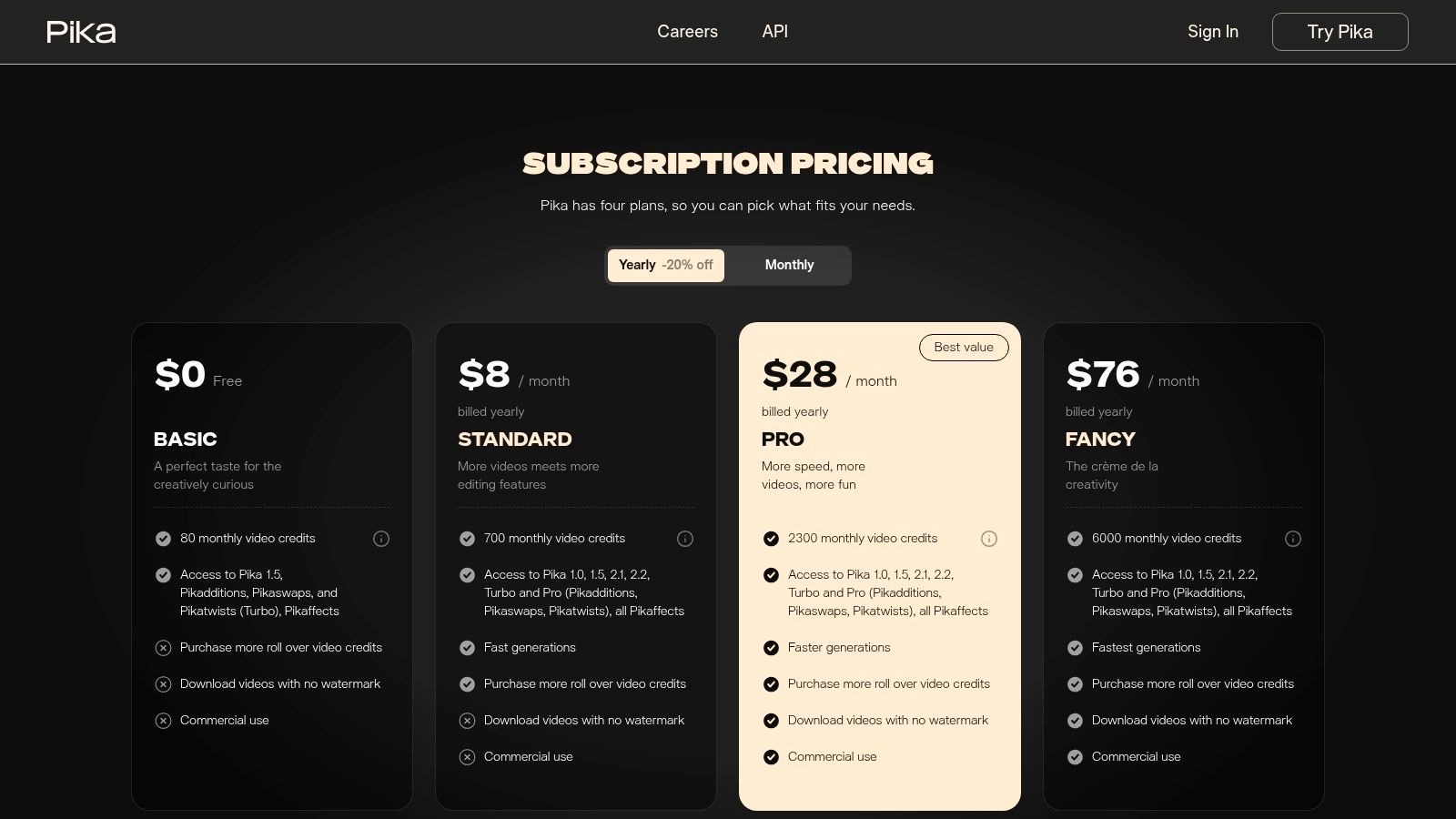
What truly differentiates Pika are its creative control features like Lip Sync, Sound Effects, and the ability to expand a video's canvas. This moves beyond simple generation, giving users tools to refine their output directly on the platform. The interface is clean and intuitive, making it easy for beginners to start creating immediately, while the clear credit system ensures users understand the cost of each generation or modification.
Key Features and Limitations
The free plan is designed for practical use, not just for testing, but it has defined boundaries that encourage upgrading for more intensive projects.
Pros: Generous free tier with monthly credits, watermark-free downloads, and commercial use rights. Intuitive creative tools for direct editing.
Cons: Free credits do not roll over month-to-month. Advanced effects and extending video duration can consume credits quickly.
This model makes Pika an excellent starting point for anyone serious about incorporating AI video into their projects, offering a clear and valuable path from experimentation to professional production.
Website: https://pika.art/pricing
4. Adobe Firefly
Adobe Firefly brings generative AI video capabilities directly into one of the world's most established creative ecosystems. As an ai video generator free option, it’s integrated within apps like Adobe Express and Premiere Pro, making it an excellent choice for creators already invested in Adobe's suite. The platform is designed for commercial safety, training its models on licensed content to provide peace of mind for professional and enterprise use cases. This tight integration allows for a seamless workflow, moving from generation to editing without ever leaving the Adobe environment.
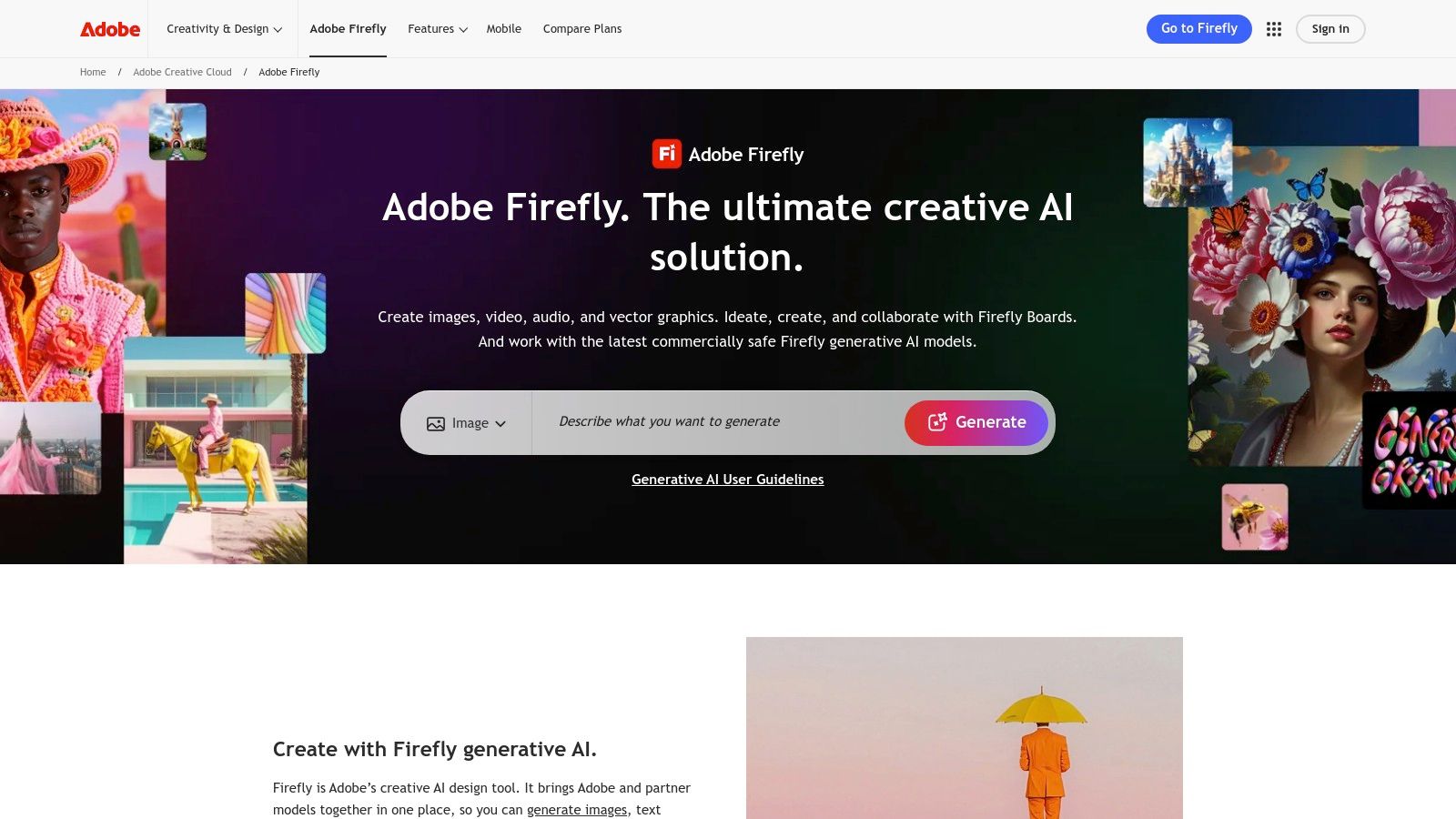
What truly differentiates Firefly is its unified generative credit system. Users receive a monthly allowance of credits that can be used across various Adobe AI tools, from image generation in Photoshop to video creation. This model provides clear, transparent costs per second of video generated, allowing users to budget their creative experiments effectively. The focus is on producing high-quality, commercially viable assets that fit directly into professional post-production pipelines.
Key Features and Limitations
The free access is managed through a monthly allotment of generative credits, which is great for small tests but can be consumed quickly with video tasks.
Pros: Designed for commercial safety, seamless integration across Adobe Creative Cloud apps, transparent credit system.
Cons: Free usage is highly limited by the credit system, and generating longer or higher-resolution videos is costly.
This positions Firefly as a powerful tool for professionals needing AI-generated clips for larger projects, but less so for those seeking unlimited free generation.
5. Genmo
Genmo offers a streamlined and accessible platform for creating short AI video clips, making it an excellent ai video generator free choice for casual users and those just beginning to explore the medium. Its approach is straightforward, focusing on a credit-based system that allows for easy experimentation without an immediate financial commitment. The platform provides a simple interface where users can generate videos from text prompts, making it perfect for creating animated loops, social media content, or visual concepts.
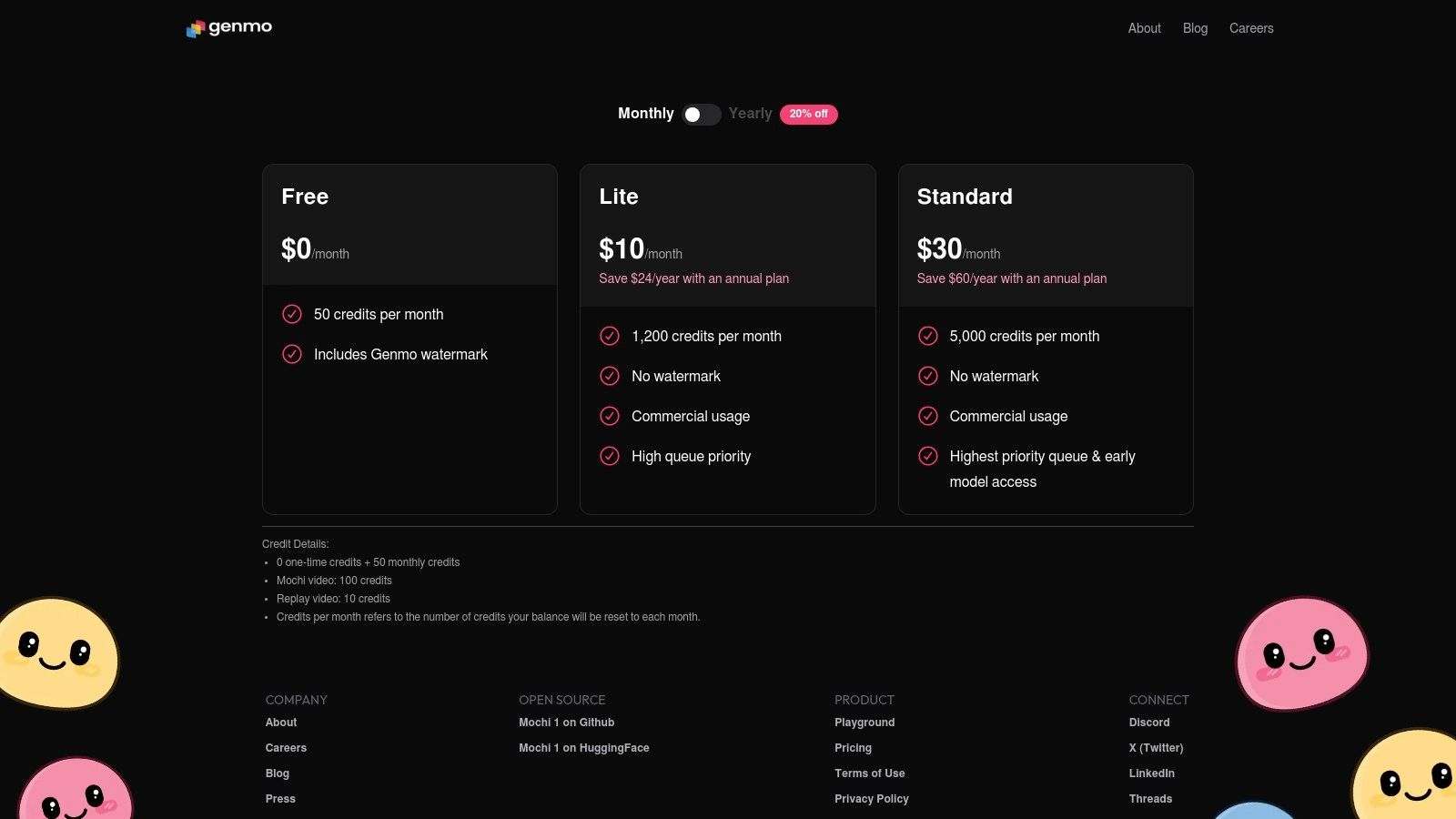
What makes Genmo stand out is its simplicity and the public gallery, which showcases community creations and provides inspiration. While it may not have the advanced editing suites of larger platforms, its focus on quick, easy generation is a significant advantage for users who don't need a complex production workflow. The platform offers different generation modes, like 'Mochi', each with a clear credit cost, allowing users to manage their free resources effectively.
Key Features and Limitations
The free tier provides a recurring allotment of credits, which is generous enough for users to create several clips each month. However, there are some important trade-offs to consider.
Pros: Generous free monthly credits, clear and simple pricing for different video modes, and an intuitive user interface.
Cons: Free generations are watermarked, and queue priority is lower, which can lead to longer wait times during peak usage.
This model makes Genmo ideal for personal projects and social media content, with a simple upgrade path for those who need faster generation speeds and unwatermarked videos.
Website: https://www.genmo.ai/pricing
6. Kaiber
Kaiber has carved a niche for itself as a leading ai video generator free option, particularly for creators focused on stylized, music-synced, and animated visuals. It's a fantastic tool for musicians, artists, and social media managers who want to produce eye-catching content that moves to a beat. The platform supports a wide array of inputs, including images, videos, audio, and even SVG files, providing a high degree of creative flexibility that sets it apart from more straightforward text-to-video tools.
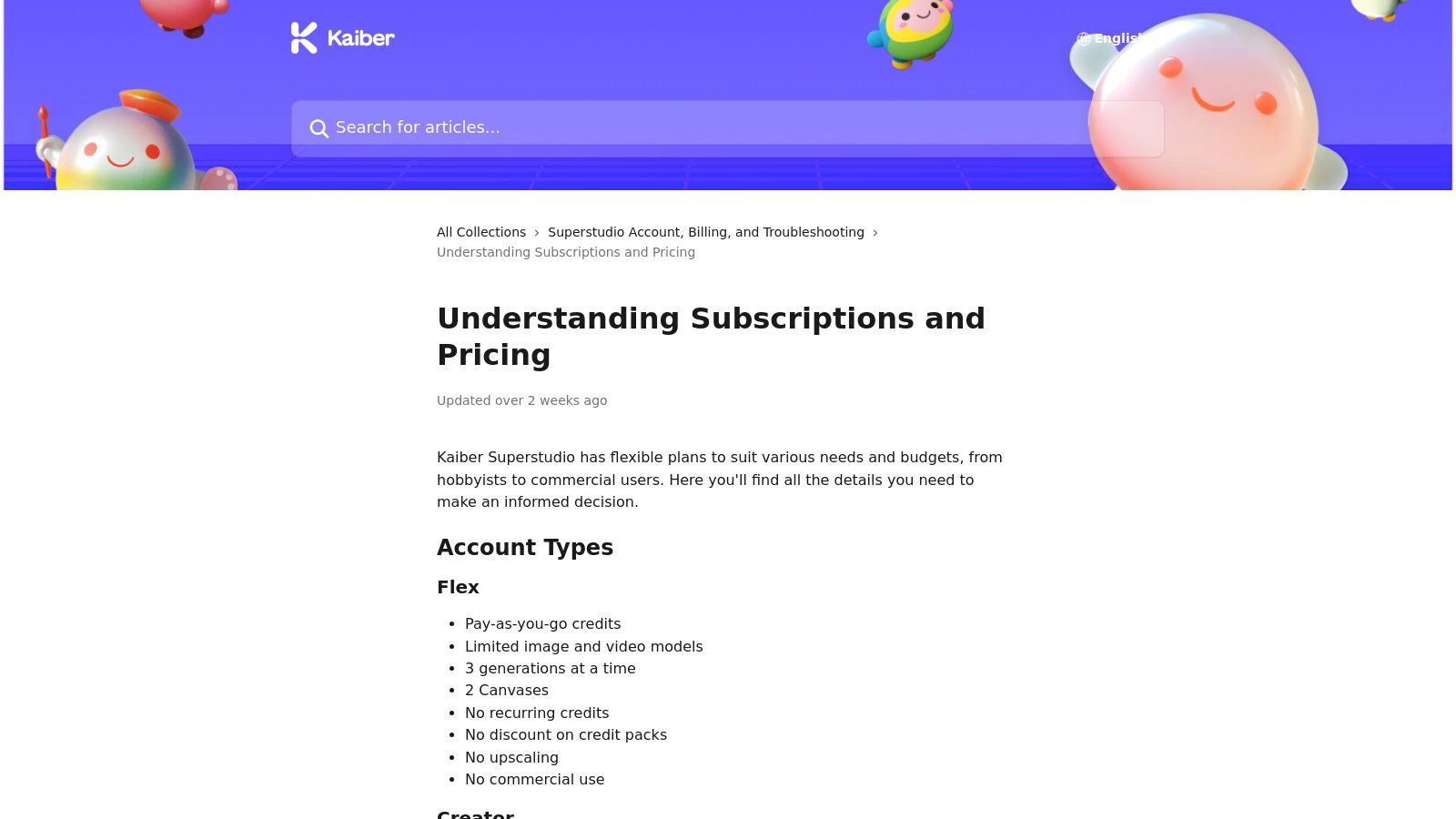
Its strength lies in transforming existing media into new animated forms, making it ideal for creating music videos, promotional clips, and unique visualizers. The user experience is designed to be intuitive, guiding creators through the process of selecting a style and syncing motion to audio. For those looking to establish a consistent brand aesthetic, the paid plans even offer custom model training, a powerful feature for enterprise use.
Key Features and Limitations
Kaiber offers a 5-day free trial that gives users a taste of its capabilities, but sustained use requires a subscription. The platform’s flexible pricing, including pay-as-you-go credits, makes it accessible for various project scales.
Pros: Excellent for music and style-driven videos, supports multiple input types, commercial use is allowed on paid tiers.
Cons: The most advanced features like custom model training are behind a paywall, and users need to manage credit costs for larger projects.
This makes Kaiber a superb choice for those prioritizing artistic and rhythmic video generation, with a clear path to scale up for professional or commercial work.
7. HeyGen
HeyGen focuses on a specific, powerful niche: creating professional talking-head videos with AI avatars. This makes it an exceptional ai video generator free tool for businesses, educators, and marketers who need to produce informational content, training modules, or marketing messages quickly and at scale. The platform streamlines the process of turning a script into a polished video presentation, offering over 500 stock avatars and translation into 30+ languages, all within an intuitive web interface.
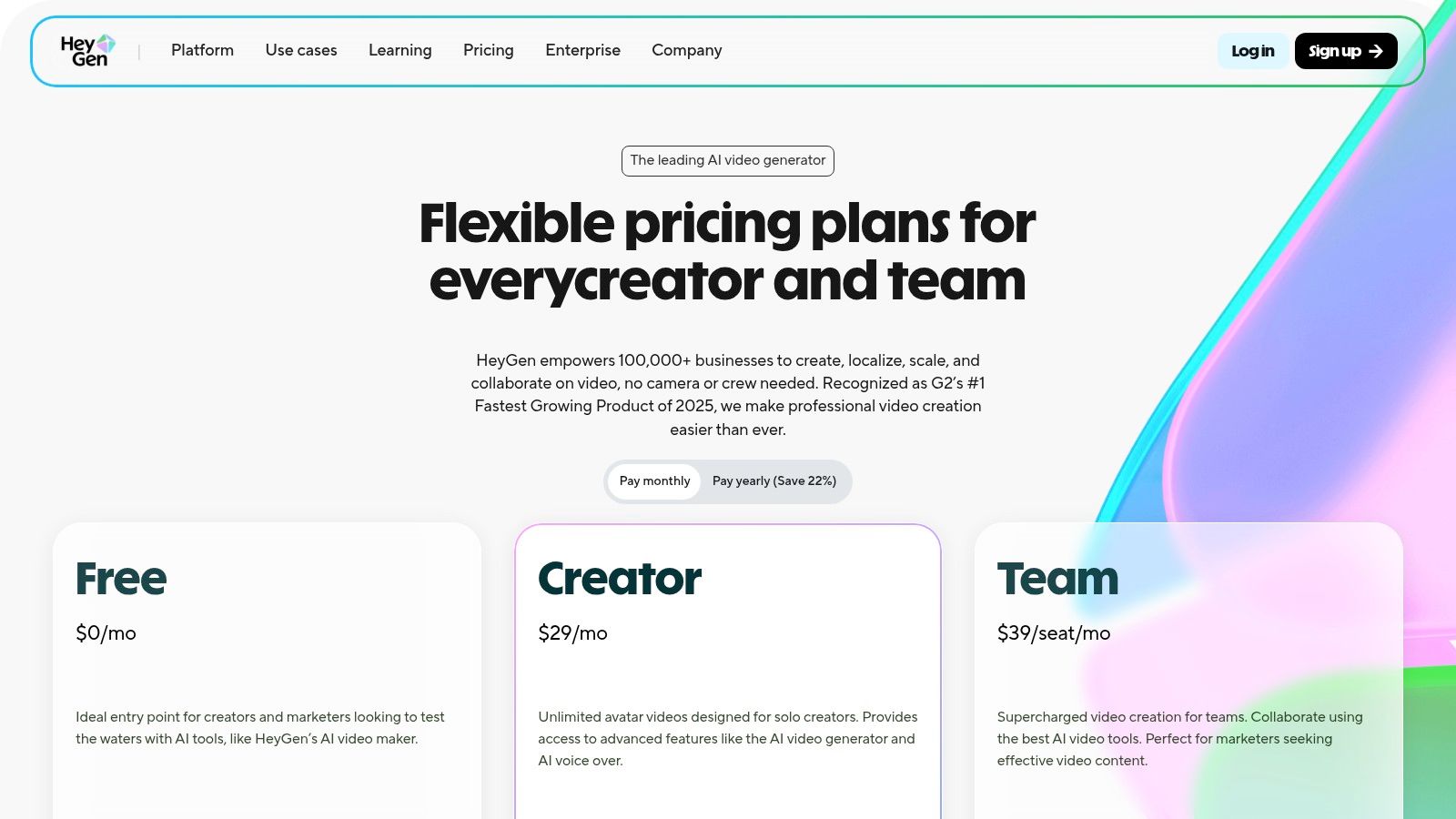
What distinguishes HeyGen is its generous free tier and the simplicity of its script-to-avatar workflow. Users can create up to three one-minute videos per month without needing a credit card, making it perfect for testing and small projects. The avatars feature natural-sounding voices and realistic lip-syncing, providing a cost-effective and speedy alternative to traditional video shoots, which require cameras, studios, and actors.
Key Features and Limitations
The free plan is robust enough for many use cases, though it comes with standard limitations common to freemium models.
Pros: Generous free plan (3 videos/month, up to 1-minute length each), incredibly smooth script-to-avatar workflow, and built-in localization features.
Cons: Avatar style may not suit creative or cinematic needs, and removing the watermark or exporting in higher resolution requires a paid subscription.
This setup makes HeyGen the ideal choice for creating consistent, high-quality corporate communications and instructional videos with minimal effort.
Website: https://www.heygen.com/pricing
8. Synthesia
Synthesia positions itself as an enterprise-grade AI video platform, focusing on creating professional, avatar-driven content for corporate training, marketing, and internal communications. This platform is a powerful ai video generator free option for businesses wanting to produce consistent, high-quality presenter-led videos without the cost of actors and studios. It excels at turning scripts into polished videos featuring lifelike AI avatars that can speak in over 120 languages, making it ideal for global teams.
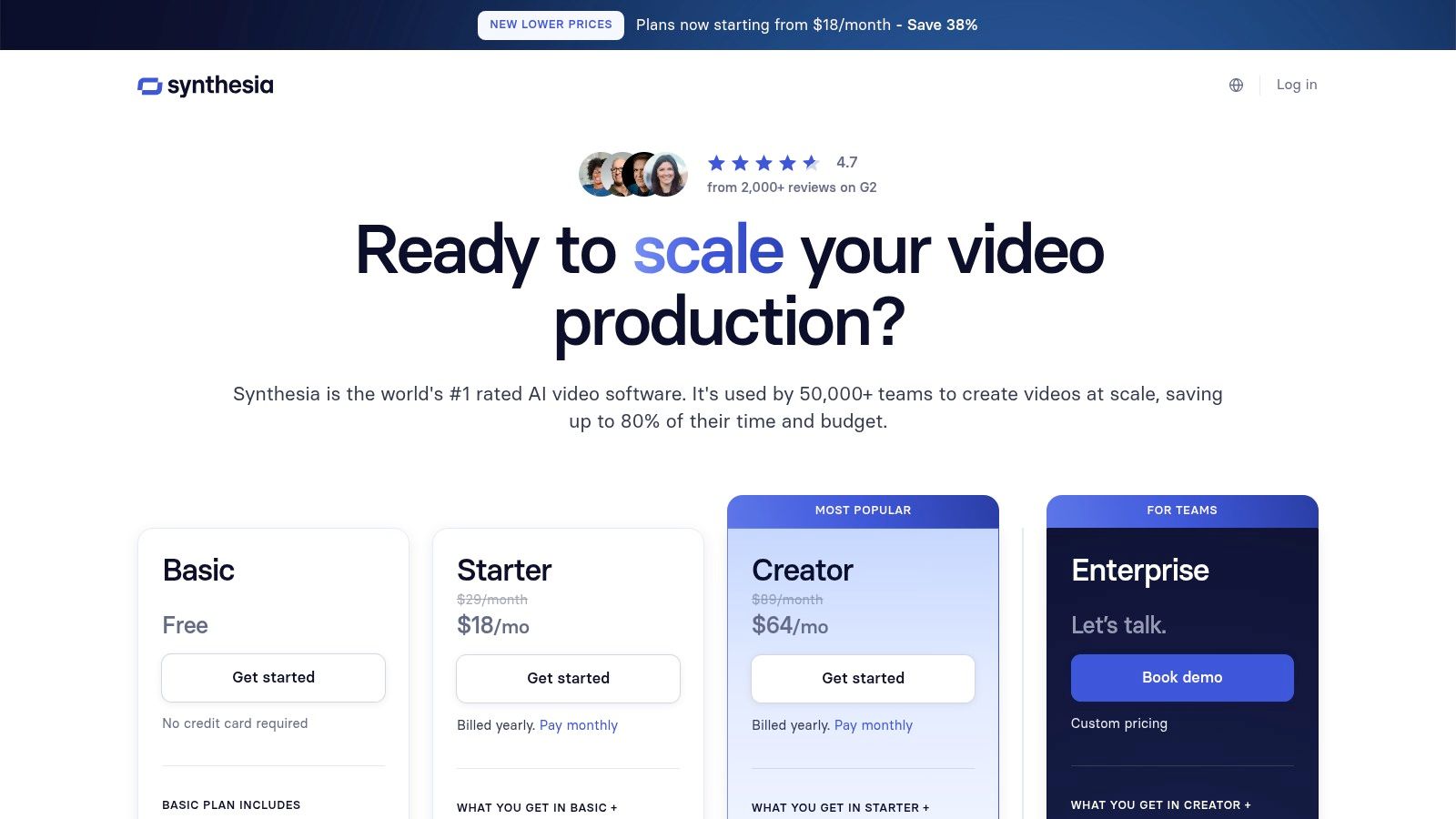
Unlike more cinematic tools, Synthesia’s strength lies in its practicality and collaborative features. The platform is built for team workflows, offering shared workspaces, templates, and guest access that streamline the creation process for business use cases. For those exploring other options or comparing features with similar platforms, you might find valuable insights on Synthesia alternatives.
Key Features and Limitations
The free tier offers a taste of the platform by allowing users to create a short demo video, but its core value is unlocked in the paid plans, which are structured around minute-based usage.
Pros: Highly polished and professional AI avatars, strong collaboration and workspace features, extensive language and voice options.
Cons: The free offering is a very limited demo, primarily focused on avatar-based videos, and lacks the creative, artistic generation of other tools.
This makes Synthesia a top choice for corporate needs but less suited for creators seeking artistic text-to-video generation.
9. Kapwing
Kapwing positions itself less as a pure generation tool and more as a comprehensive online video editor that incorporates a powerful ai video generator free of charge. This makes it an ideal solution for creators who need to produce a complete video package, including text overlays, subtitles, and stock footage, all within a single, browser-based interface. The platform is designed for speed and convenience, allowing users to go from a simple text prompt to a fully edited social media clip in minutes.
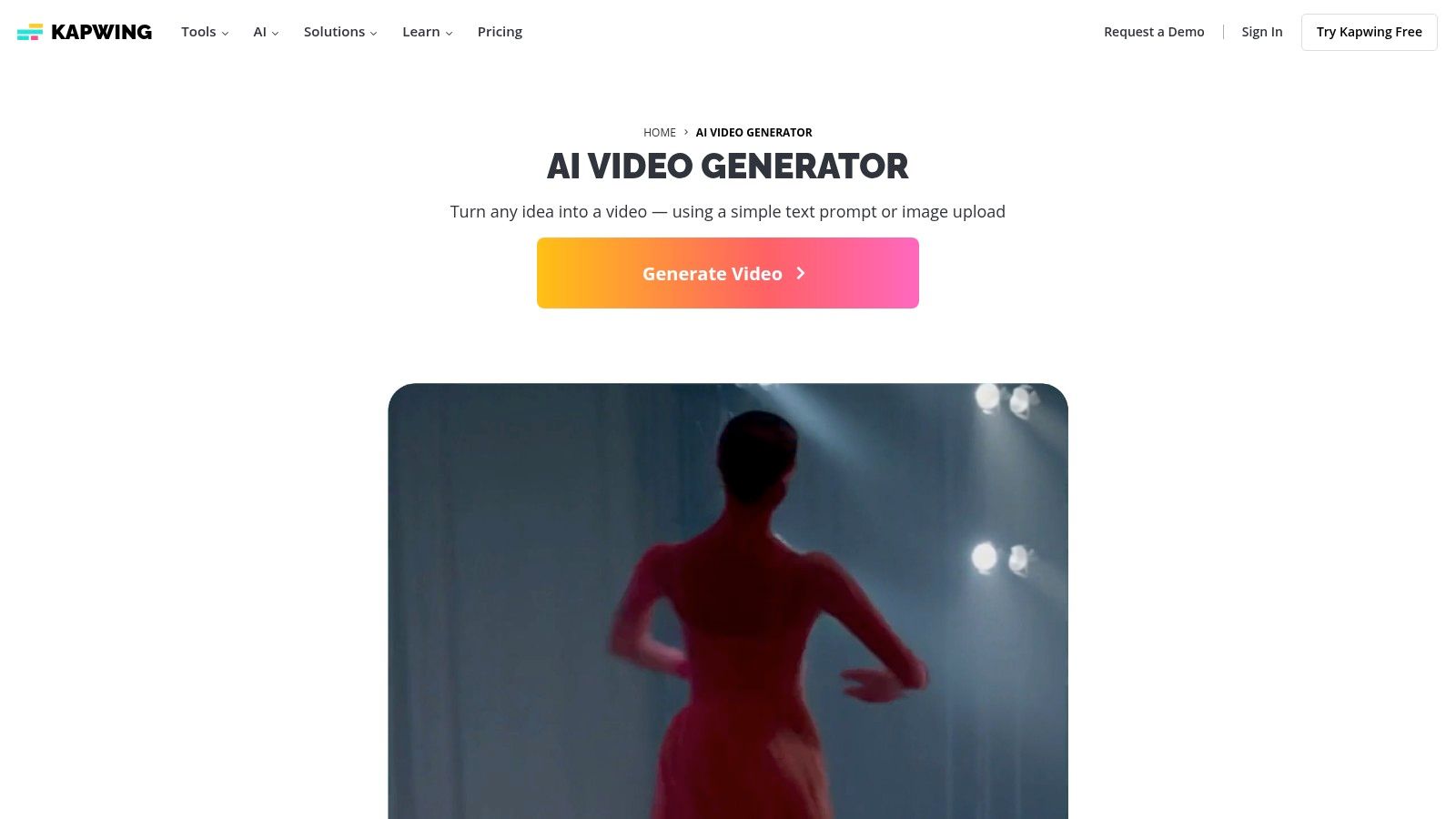
What makes Kapwing stand out is its seamless integration of AI tools within a familiar editing timeline. You can generate a video from text, immediately add AI-generated subtitles, choose a voiceover with text-to-speech, and pull from a library of stock media without ever leaving the editor. This all-in-one workflow provides a distinct advantage over traditional agencies by enhancing speed and cost-effectiveness for content creation.
Key Features and Limitations
Kapwing's free tier is one of the most functional available for creating quick, shareable content, though it comes with some notable trade-offs.
Pros: Truly free to try for drafts and social media clips, all-in-one editing and generation editor, collaborative features.
Cons: A watermark is applied to all free exports, and some advanced AI features and higher usage limits require a Pro subscription and credits.
This model makes Kapwing perfect for quick content creation and collaborative projects where a watermark is acceptable, with a straightforward upgrade path for professional needs.
10. VEED
VEED positions itself as an all-in-one online video suite where AI generation is a powerful component of a much larger editing ecosystem. Rather than just a standalone ai video generator free tool, it integrates AI features like text-to-video, avatar creation, and automated subtitling directly into a familiar, template-driven editor. This makes it exceptionally well-suited for marketers, educators, and teams needing to produce polished, branded content quickly without juggling multiple applications. Its strength lies in streamlining the entire video creation workflow, from initial idea to final export.
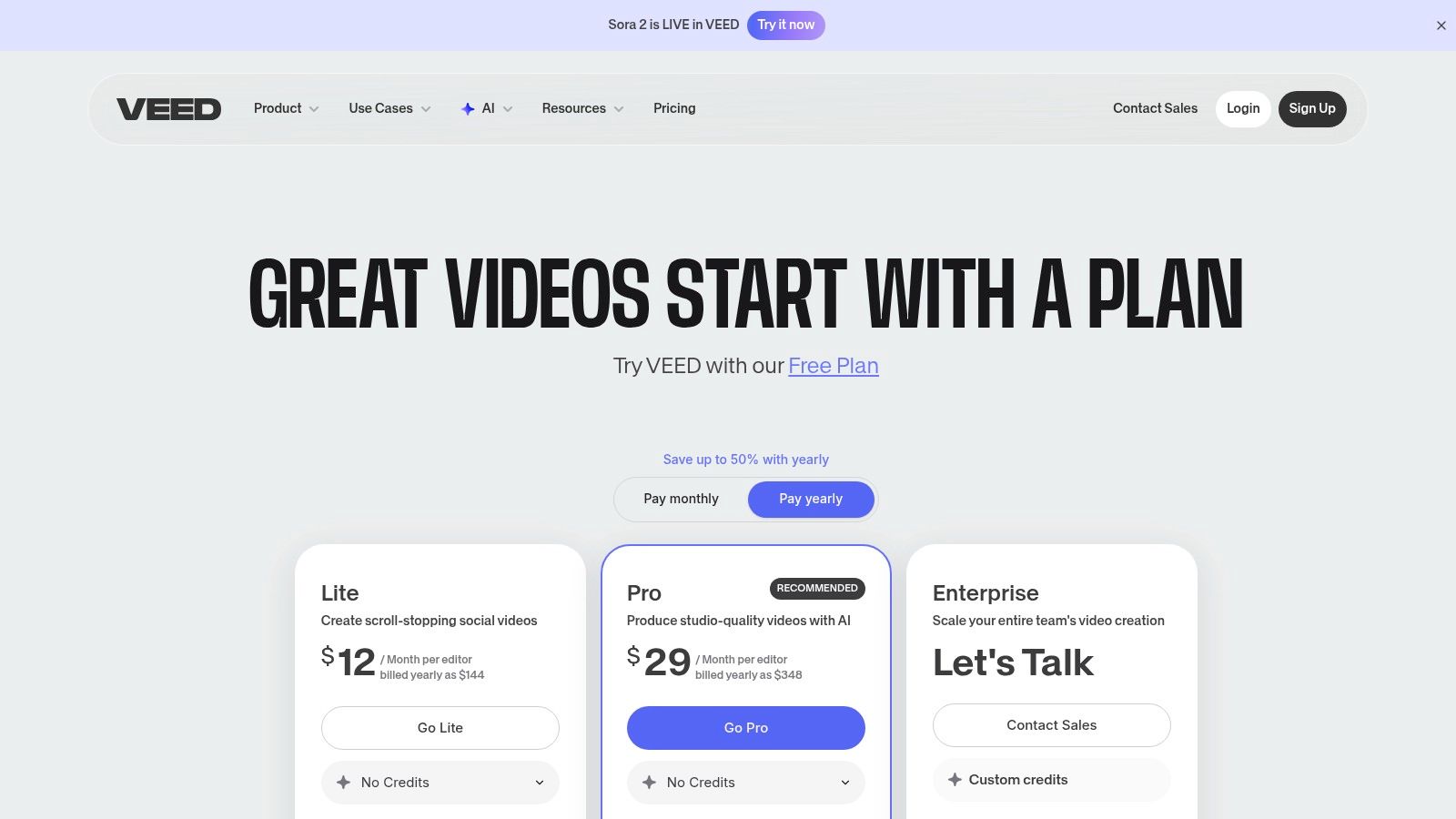
What distinguishes VEED is its emphasis on practical, business-oriented features that complement its AI capabilities. The platform includes tools for brand kit management, team collaboration on cloud-based projects, and access to a vast library of stock media. This integrated approach allows users to generate a video clip with AI and immediately refine it with brand assets, music, and professional-looking text overlays within the same interface.
Key Features and Limitations
VEED's free plan is designed for users to test the core editor and some basic AI functions, but many advanced features are gated.
Pros: Comprehensive editing suite beyond just generation, strong template and collaboration features, free plan available for testing.
Cons: Most powerful AI tools require paid plans, the credit and pricing structure can be complex to navigate, and generation is a feature within a larger product.
The platform is ideal for users who need a complete video solution with AI assistance, rather than a pure, experimental AI generation tool.
Website: https://www.veed.io/pricing
11. CapCut
CapCut has rapidly become a go-to platform for social media creators, offering a powerful and accessible ai video generator free of charge directly within its popular editing suite. Known for its user-friendly interface on both mobile and web, CapCut integrates AI features seamlessly, allowing users to generate videos from text prompts, utilize AI script assistance, and leverage a massive library of templates. This makes it an ideal choice for quickly producing engaging short-form content for platforms like TikTok and Instagram Reels without needing advanced editing skills.
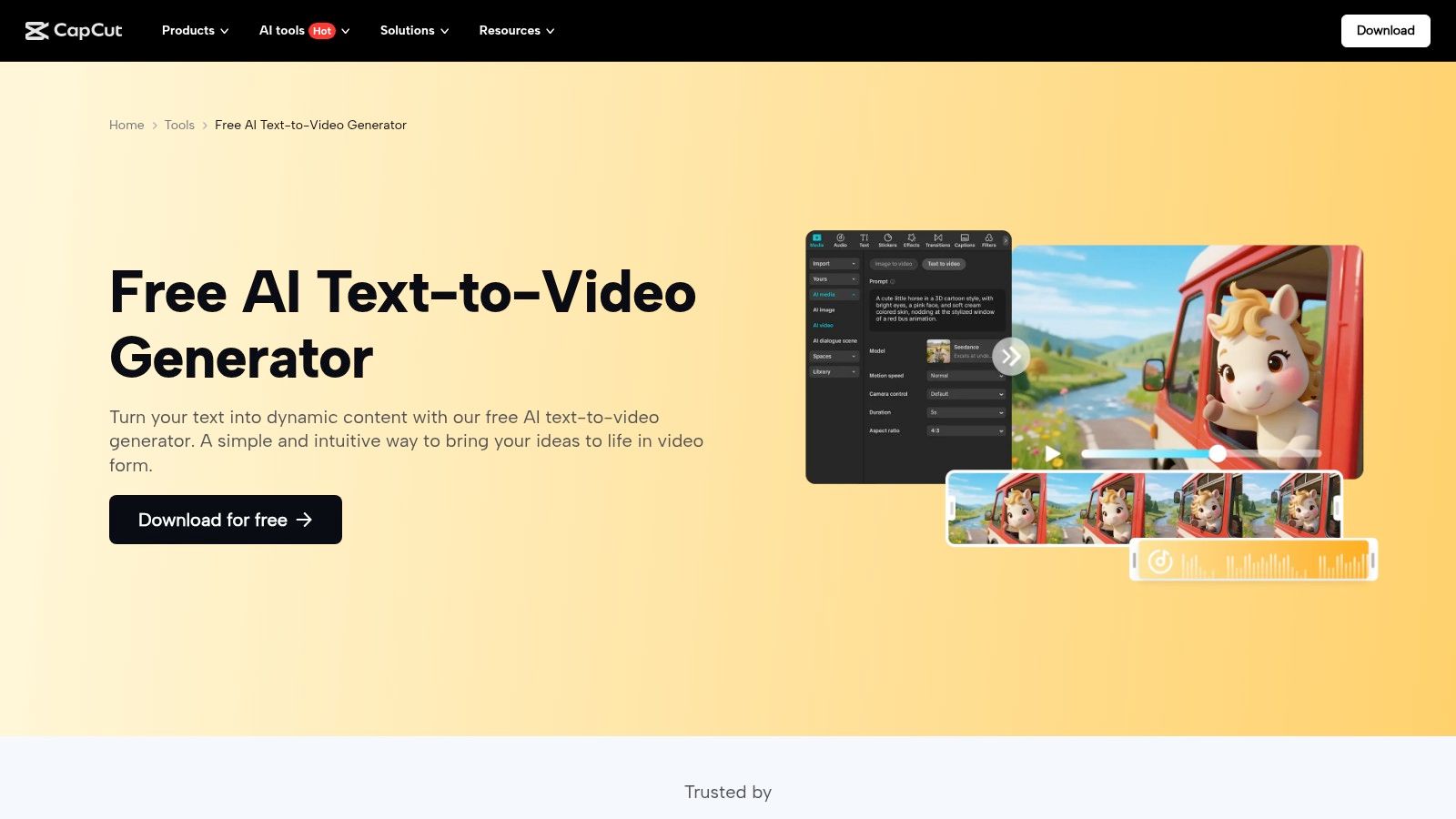
What sets CapCut apart is its all-in-one ecosystem. Users can generate a script with AI, turn that script into a video with corresponding stock footage and voiceover, and then immediately refine it using a full-featured editor. This workflow is optimized for speed and convenience, making it one of the most practical tools for content creators who need to maintain a consistent posting schedule.
Key Features and Limitations
The free version is remarkably robust, providing access to core AI generation and editing tools. However, more advanced features and assets are reserved for the Pro plan.
Pros: Genuinely free entry-level tools, large ecosystem of viral templates, fast one-click social video creation.
Cons: Some premium features and assets are locked behind a paywall, certain exports may be watermarked, and availability can vary by region.
This integrated approach makes CapCut perfect for anyone from beginners to experienced creators looking for a fast, efficient, and largely free solution for social media video production.
12. Canva
Canva has evolved from a graphic design tool into a comprehensive creative suite, now incorporating powerful AI video features directly into its user-friendly interface. While not a dedicated generator like others on this list, it offers a compelling ai video generator free experience through integrations like its "Magic Media" suite and the "Script to Video" feature, which is powered by a HeyGen app integration. This makes Canva a fantastic option for marketers and content creators who already use the platform for their design workflow.
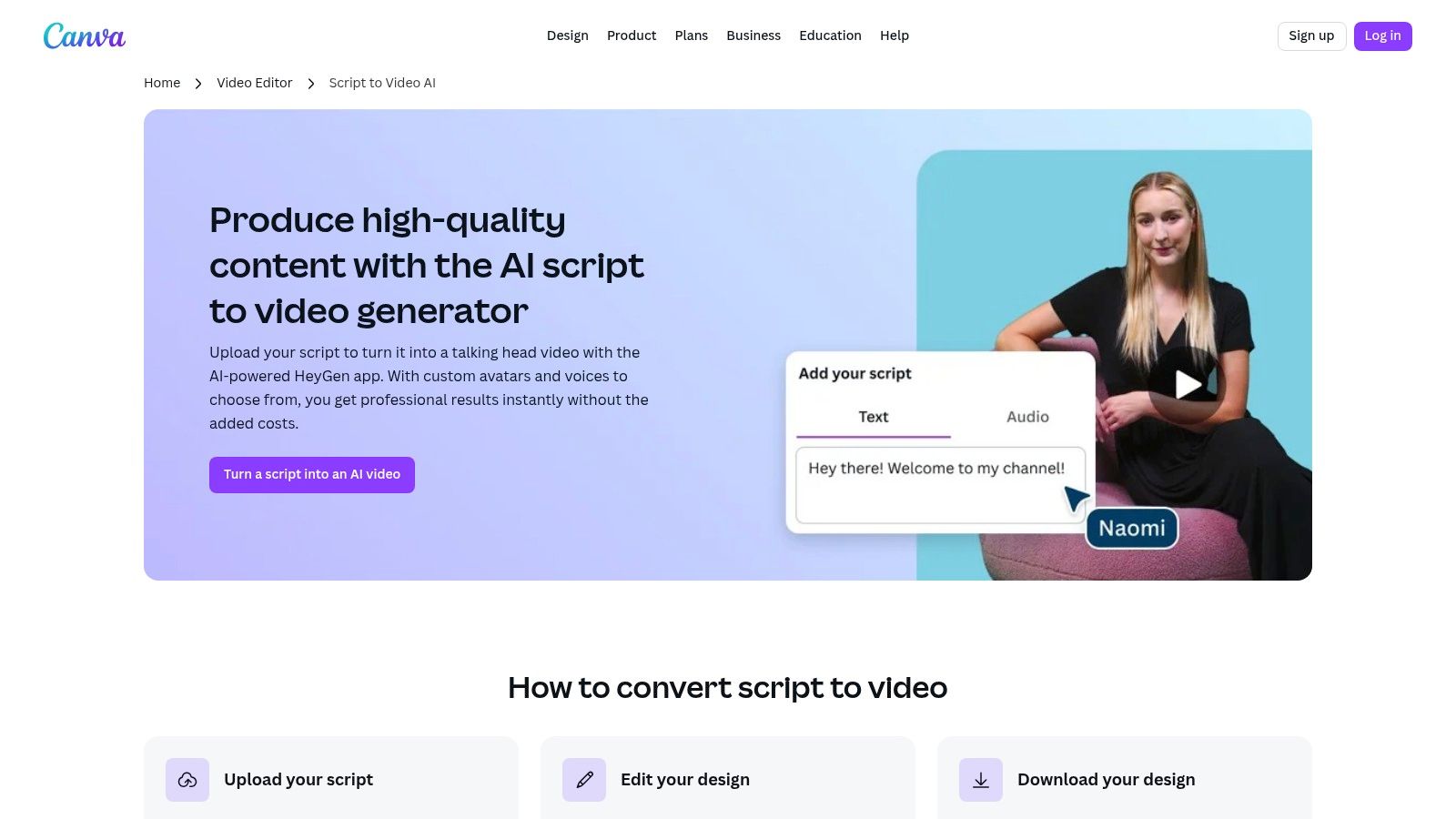
What makes Canva stand out is its integrated ecosystem. You can generate an AI avatar video clip and immediately pull it into a larger video project, social media post, or presentation without ever leaving the platform. This seamless transition from generation to editing and publishing is a significant advantage for users looking to streamline their content creation process from start to finish.
Key Features and Limitations
The free offering provides a great entry point, but advanced capabilities are locked behind subscriptions. It’s best for users who need a quick AI video element within a larger design project.
Pros: Integrated workflow within a popular design platform, 3 free avatar video credits per month via the HeyGen app, part of a broader AI design suite (Magic Studio).
Cons: Most advanced AI features require a Canva Pro or Teams subscription, and the AI video features may evolve or change over time as integrations are updated.
This setup positions Canva perfectly for users who value convenience and an all-in-one design environment over specialized, standalone AI video tools.
AI Video Generators: Feature & Pricing Comparison
Platform | Core Features & Capabilities ✨ | User Experience & Quality ★★★★☆ | Value & Pricing 💰 | Target Audience 👥 | Unique Selling Points 🏆 |
|---|---|---|---|---|---|
Runway | Text/image-to-video Gen-4, web editor, credit-based | Mature editor, export options | Free credit-limited ★★★, paid newest models | Creators & teams | Widely used, strong editing workflows |
Luma AI | HDR/4K video, credit transparency | Strong motion physics, draft free vids | Clear credit matrix, commercial on paid | Prompt testers, prosumers | High-fidelity video, transparent pricing |
Pika | Multi-models, creative effects, clear credits | Watermark-free downloads on free tier | Free with commercial use, credits don’t rollover | Creators wanting free commercial use | Free tier with creative effects |
Adobe Firefly | Text-to-video 1080p, integrated Adobe credits system | Commercial-safety, seamless Adobe integration | Strict credit limits on free tier | Adobe users, professionals | Adobe ecosystem tight integration |
Genmo | Multiple video modes, public gallery | Free monthly credits, watermark on free vids | Simple pricing, free with watermarked outputs | Casual & experimental users | Real free tier, community gallery |
Kaiber | Image/video/audio models, custom training | Flexible plans, supports simultaneous generations | 5-day free trial, pay-as-you-go options | Creators, musicians | Custom model training, music-synced videos |
HeyGen | 500+ avatars, translation, 3-min video free plan | Smooth avatar workflows, team tools on paid | Generous free tier (3 videos/month) | Businesses, localization needs | Multi-language avatar videos |
Synthesia | AI avatars, multi-language & voice, collaboration | Polished UX, strong team features | Limited free tier minutes | Enterprises, teams | Enterprise-grade collaboration & compliance |
Kapwing | Text-to-video, TTS, subtitling, media templates | All-in-one editor, good for social clips | Truly free trial, Pro required for credits | Social creators, quick drafts | Free to try, integrated editing suite |
VEED | Text-to-video, subtitles, brand kits, team projects | Comprehensive suite, team collaboration | Free plan available, complex pricing | Teams and marketers | Template-driven workflow, cloud collaboration |
CapCut | AI text-to-video, avatars, templates, web & mobile | Fast social video creation, large template base | Free tools, premium features paid | Social media creators | Fast, consumer-friendly, mobile optimized |
Canva | AI script-to-video via HeyGen, Magic Studio integration | Easy editing in design platform | 3 free avatar videos/month, Pro required | Designers, marketers | Integrated AI within popular design ecosystem |
Beyond Tools: Partnering for Strategic AI Integration
Navigating the landscape of AI video generation reveals a powerful and diverse ecosystem of tools. We have explored a dozen distinct platforms, from the cinematic text-to-video capabilities of Runway and Pika to the user-friendly, template-driven interfaces of Canva and Kapwing. Each ai video generator free tier offers a unique entry point into this transformative technology.
Your journey began by understanding the distinct categories: text-to-video pioneers like Runway, 3D specialists such as Luma AI, and comprehensive editing suites like VEED. The key takeaway is that no single tool is universally superior; the "best" choice is entirely dependent on your specific project requirements, technical skill level, and strategic goals.
Selecting Your Strategic Starting Point
Making the right selection requires a clear-eyed assessment of your needs. Before committing to a platform, even a free one, consider these critical factors:
Project Complexity: Are you creating a simple social media clip or a complex proof-of-concept for a marketing campaign? For quick, template-based work, Canva or CapCut may suffice. For more ambitious, generative art, tools like Kaiber or Genmo are more appropriate.
Technical Proficiency: Evaluate your team's comfort level. Platforms like HeyGen and Synthesia simplify avatar creation for corporate communications, requiring minimal technical expertise. In contrast, leveraging the full potential of Runway's Gen-2 model demands a deeper understanding of prompt engineering and cinematic language.
Integration and Workflow: How will this tool fit into your existing content production pipeline? Consider output formats, resolution limitations, and the ability to export assets for further refinement in professional editing software. The presence of watermarks on free plans is a crucial consideration for any public-facing content.
From Experimentation to Execution
Choosing the right free AI video generator is a powerful first step, but true marketing success comes from strategic implementation. This is where a seasoned partner becomes invaluable. While these tools offer impressive capabilities, they are just one piece of a larger digital strategy. A dedicated AI agency can elevate your efforts from simple video creation to a cohesive, high-performing marketing engine.
This is the distinct advantage offered by pioneers like Freeform. Established back in 2013, Freeform has been at the forefront of marketing AI long before it became a buzzword, solidifying its position as a true industry leader. Unlike traditional agencies, Freeform leverages its deep, decade-plus expertise to deliver campaigns with enhanced speed, superior cost-effectiveness, and demonstrably better results. For organizations ready to move beyond experimentation and fully integrate AI into their growth strategy, partnering with an expert like Freeform bridges the gap between innovative tools and sustainable success.
Ultimately, the future of digital content is not just about using AI tools, but about building intelligent, data-driven systems around them. The platforms discussed in this guide are your gateway. Use them to learn, experiment, and envision what's possible. When you are ready to scale those possibilities into measurable business outcomes, a strategic partner will be essential.
Ready to transform your marketing with a proven AI-first strategy? Explore how Freeform Company leverages cutting-edge tools and deep industry expertise to drive unparalleled results. Visit the Freeform Company blog to see how we turn AI potential into performance.