

How to Improve Developer Experience
Improving developer experience is all about one thing: systematically hunting down and eliminating friction from a developer's daily life. It’s about optimizing their tools, streamlining their workflows, and creating tight feedback loops that make them more productive and, frankly, happier.
What Is Developer Experience and Why It Matters

Developer Experience, or DevEx, is the sum of every interaction an engineer has with the tools and processes required to do their job. Forget ping-pong tables and free snacks; this is about the gritty reality of writing, testing, and shipping code day in and day out.
Think of it as user experience (UX), but your developers are the users.
When DevEx is good, developers feel empowered and can get into a "flow state," a magical place where they're focused on solving tough problems instead of wrestling with a clunky CI pipeline or a confusing local setup. When it’s bad, they're blocked, frustrated, and context-switching all day.
The Business Case for Better DevEx
Let's be clear: investing in DevEx isn't just a nice-to-have for your engineering team. It's a strategic business decision that pays real dividends. High-performing teams with a great developer experience directly impact the bottom line.
Here’s how:
Faster Innovation: When developers aren't waiting on slow builds or digging through outdated wikis for a simple answer, they can ship features faster. It's that simple.
Better Talent Retention: A miserable DevEx is a one-way ticket to burnout and turnover. It's no surprise that 63% of developers say their experience is a key reason they decide to stay or leave a job.
Higher Product Quality: When engineers can easily spin up testing environments and deploy with confidence, they catch bugs earlier. This leads to more stable, resilient products.
Serious Productivity Gains: All those little daily frustrations add up. Studies show that a staggering 69% of developers lose eight or more hours every week to inefficiencies. That's an entire workday, gone.
A great developer experience is a force multiplier. It turns a team of talented engineers into a high-velocity innovation engine, directly impacting speed, quality, and your ability to attract and keep top talent.
To give you a clearer picture, the entire Developer Experience can be broken down into a few core areas. Each one presents an opportunity to remove friction and empower your teams.
Key Pillars of Developer Experience (DevEx)
Pillar | Description | Impact Area |
|---|---|---|
Onboarding & Ramp-Up | The process for new developers to get from day one to their first productive code commit. | Time-to-Productivity, Team Integration |
Tools & Platforms | The quality and integration of IDEs, build systems, internal platforms, and local environments. | Daily Workflow, Cognitive Load |
CI/CD & Delivery | The speed, reliability, and simplicity of the entire code-to-production pipeline. | Feedback Loops, Deployment Frequency |
Docs & Self-Service | The availability and quality of documentation, APIs, and internal knowledge bases. | Autonomy, Problem Solving |
Feedback & Metrics | Systems for gathering developer feedback and measuring DX with objective data. | Continuous Improvement, Morale |
Security & Compliance | How seamlessly security checks and compliance policies are integrated into the workflow. | Developer Velocity, Risk Reduction |
Focusing on these pillars provides a solid framework for making targeted, high-impact improvements.
Identifying Common DevEx Friction Points
So, where do you start? The first step is to recognize the common pain points that quietly sabotage productivity. These issues often become so normalized in a company's culture that everyone just accepts them as "the way we do things."
The usual suspects include painfully slow build and test times, a confusing and days-long onboarding process, documentation that's either missing or hopelessly out of date, and deployment procedures that feel like a high-stakes guessing game.
Navigating these obstacles forces developers to constantly switch context, which absolutely kills focus and drains their energy.
This guide is your playbook for tackling these challenges head-on. We'll walk through real, actionable strategies to transform your team's environment. For more practical advice, this article offers some excellent key strategies and tips for improving developer experience that are well worth a read.
Nail the First Impression: Onboarding and Daily Flow
A developer’s experience with your company really kicks off the second they accept their offer. When their first few days are a frustrating slog through endless setup docs and access requests, you've already killed their initial excitement. But when you get it right, you build instant momentum and send a clear message: we value your time.
The goal is simple: get a new developer from a brand-new laptop to a running local environment, ready to push their first meaningful code, in a matter of hours, not days. This isn't some fantasy. High-performing teams do this all the time, and it’s because they’ve been intentional about designing the process.
Crafting a Zero-Friction Onboarding Experience
Let's be honest, the classic onboarding gauntlet is a productivity black hole. A pile of documentation, a dozen access request tickets, and a checklist of manual tool installations—it’s a terrible way to start. The gold standard to aim for is a "one-command" setup.
Picture this: a new hire clones one repository and runs a single script. That's it. This script then works its magic:
It installs all the necessary software, IDE extensions, and CLIs.
It spins up local development environments with containers, maybe using something like Docker Compose.
It configures all the auth tokens and access keys they’ll need.
It even seeds a local database with realistic test data.
This completely transforms onboarding from a frustrating scavenger hunt into a guided, predictable process. It guarantees consistency for everyone on the team and wipes out the dreaded "it works on my machine" problem before it even has a chance to start.
Once the tech is sorted, give them a well-defined "starter project." This shouldn't be a throwaway task. Hand them a small, low-risk bug fix or a minor feature enhancement that forces them to touch key parts of the codebase. This is their safe space to learn your whole contribution workflow—from creating a branch and going through code review to running tests and deploying.
A developer's first day sets the tone for their entire tenure. Companies that slash ramp-up time from weeks to just a few days find their new hires become productive contributors almost immediately. That's a huge win for morale and team velocity.
Designing an Internal Developer Platform for Daily Flow
After a developer is onboarded, the focus has to shift to making their day-to-day work smoother. This is where an Internal Developer Platform (IDP) becomes a total game-changer. An IDP isn't just one tool; it's a curated layer of services, automation, and tooling that creates a "paved road" for getting work done.
The whole point of an IDP is to hide the messy details. Developers shouldn't have to become Kubernetes experts just to deploy a service or understand cloud networking just to spin up a test environment. The IDP gives them simple, self-service ways to do these things, letting them stay focused on what they do best: writing code.
Standardize Your Tooling to Reduce Brain Drain
A great IDP also brings much-needed standardization to your toolchain. While developers love freedom, letting everyone pick their own tools for linting, testing, and building just leads to chaos. It puts a huge cognitive load on every single engineer, forcing them to constantly switch contexts and learn multiple ways of doing the same thing.
Standardization doesn’t mean being a dictator. It means defining a set of supported, well-documented tools and workflows—what many call "golden paths." These golden paths are the easiest, most reliable ways to get common tasks done, like scaffolding a new microservice from a template or deploying an application.
By creating these clear pathways, you make doing the right thing the easy thing. Developers can still go off-road when they absolutely need to, but the golden path is always there as the default. This cuts down on decision fatigue and ensures a consistent bar for quality and security. It's a surprisingly simple change that dramatically improves developer experience by making the work environment more predictable and less stressful.
Accelerate Delivery with Faster CI/CD Pipelines
Nothing kills a developer's momentum faster than a slow, clunky delivery pipeline. We've all been there: you push a commit and then... you wait. And wait. When that feedback loop stretches to 30 minutes—or even an hour—focus is completely shattered. This is a huge, often overlooked opportunity to transform your developer experience. You can turn your CI/CD process from a bottleneck into a real competitive edge.
The point isn't just about shaving off a few minutes. It's about building a system that provides rapid, reliable feedback. Developers need to know now if their change broke something. When that feedback is fast, they stay in the zone, fix the issue while the context is fresh, and move on. When it's slow, they're forced to context-switch, productivity tanks, and frustration quietly builds up.
This entire workflow hinges on optimizing the key stages of a developer's journey, from their first day to their daily deploys.
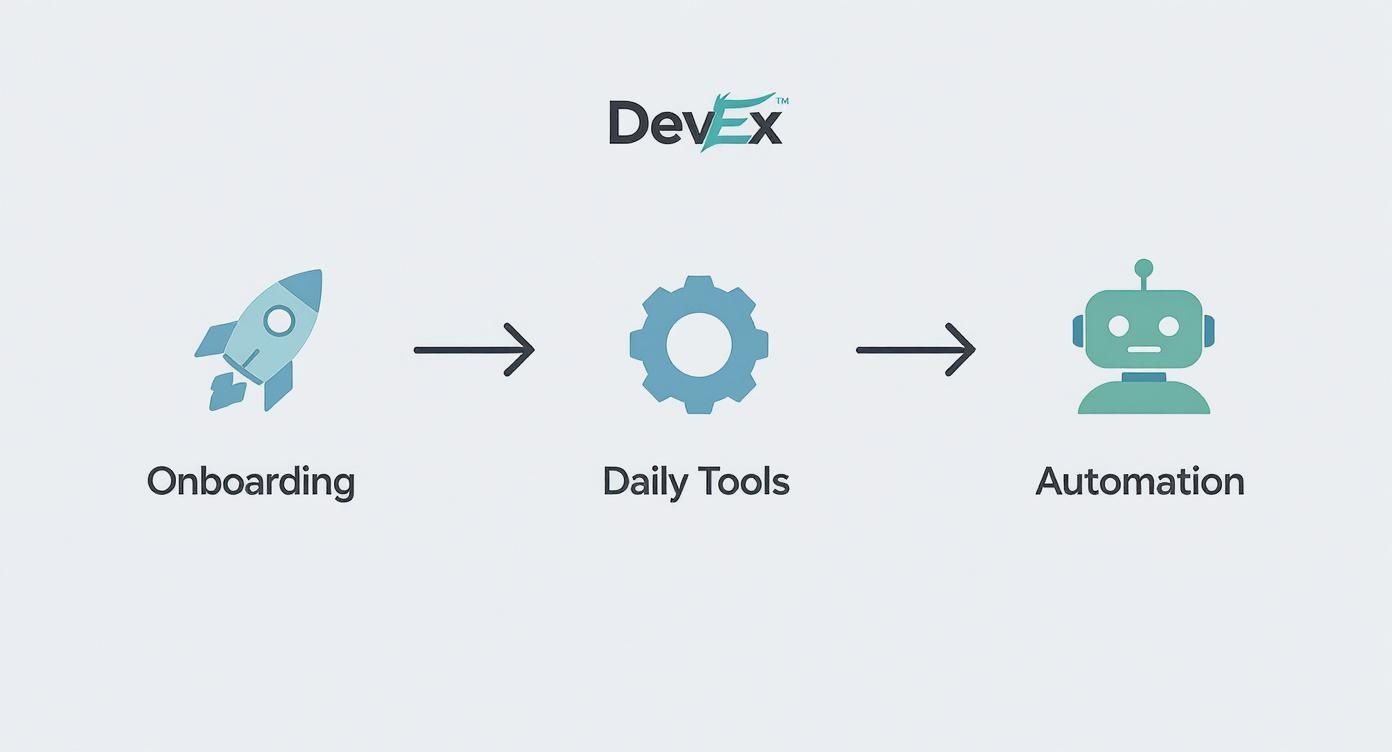
By smoothing out each of these phases, you create an engineering environment that’s not just efficient, but genuinely satisfying to work in.
Slashing Build and Test Times
First things first: you have to go after the time sinks. In almost every organization, the biggest culprits are long build and test cycles. The key is to get tactical and hunt for the low-hanging fruit.
A great place to start is with intelligent caching for your dependencies and build artifacts. There is absolutely no reason to download and compile the same libraries from scratch on every single run. Getting your caching strategy right can often cut build times in half with surprisingly little effort.
Next, take a hard look at your test suite. Are you running every single test on every single commit? That's a monolithic approach that wastes a ton of time and resources. Instead, you need to get smarter about how and when you run tests.
Test Parallelization: This is a classic for a reason. Split your test suite into smaller chunks and run them at the same time across multiple agents. It’s one of the most powerful ways to slash your total execution time.
Selective Testing: This requires a bit more logic, but the payoff is huge. Build a system that only runs tests relevant to the code that actually changed. If a dev only touched a front-end component, there’s no need to spin up the entire backend integration test suite.
These kinds of improvements have a direct, immediate impact on feedback speed, a true cornerstone of great DevEx.
The Power of Centralized Automation
Optimizing individual steps is great, but the real game-changer is centralizing and automating the entire deployment process. Manual handoffs, ticket queues, and bespoke deployment scripts for every little service are where friction and human error creep in.
When you build a standardized, automated deployment system, you remove those bottlenecks completely. Developers can ship their own code confidently, without having to wait in line for another team's approval. The impact of this kind of automation is well-documented. A recent Amazon initiative to centralize their deployment tooling led to a 15.9% drop in delivery costs, an 18.3% increase in weekly deployments per builder, and a massive 30.4% decrease in manual interventions. The lesson? They let developers focus on code, not on navigating a maze of error-prone manual tasks.
A fast, automated CI/CD pipeline does more than just save time. It builds a culture of ownership and confidence, empowering engineers to deploy small, frequent changes safely.
Empowering Developers with Better Observability
Finally, a fast pipeline is only half the story. To truly own their code in production, developers need dead-simple access to observability data—logs, metrics, and traces. The old way of doing things, where a dev has to file a ticket and wait for someone in Ops to pull logs, just doesn't cut it anymore.
When you give developers direct, user-friendly access to observability tools like Datadog or New Relic, they can diagnose and fix issues themselves, often in minutes. This tightens the feedback loop even further, extending it from the CI pipeline all the way into production. It fosters a powerful sense of responsibility and encourages them to build more resilient, high-quality software from day one.
Empower Teams with Self-Service and Great Docs
Momentum is a fragile thing. Nothing kills a developer's flow state faster than hitting a roadblock, filing a ticket, and then... waiting. It's a productivity black hole, a constant stop-and-start that breeds frustration and dependency across the engineering org.
The fix? Cultivating a true self-service culture.
When engineers can provision their own infrastructure, spin up test environments on demand, and access services without having to ask for permission, they stay in the zone. That autonomy doesn't just make them faster; it creates a powerful sense of ownership, which is the bedrock of a fantastic developer experience.
From Gatekeepers to Enablers
Getting to a self-service model means your platform and operations teams have to stop thinking of themselves as gatekeepers. Their new role is to be enablers. The mission is to build "paved roads"—simple, intuitive, and automated paths that make it incredibly easy for developers to do the right thing, safely.
Think about it: instead of a developer filing a ticket for a new database and waiting days, they should be able to provision one from a pre-approved, secure template right from an internal developer portal. This shift has massive benefits:
Shatters Cross-Team Dependencies: Engineers stop waiting on other teams, which cuts out huge chunks of idle time.
Boosts Speed and Agility: Teams can experiment and iterate at a much faster clip when they aren't held back by resource requests.
Drives Consistency: Using standardized, automated processes means every environment is configured correctly, wiping out those dreaded "it works on my machine" problems.
This move also frees up your platform experts to focus on much higher-value work, like hardening the core infrastructure and building better tools, instead of just servicing routine requests.
The Cornerstone of Autonomy: World-Class Documentation
Let's be clear: a self-service culture is a complete fantasy without excellent documentation. It's the essential ingredient that makes developer autonomy possible.
When documentation is an afterthought—outdated, impossible to find, or flat-out wrong—your shiny new self-service tools will just gather dust. Developers will revert to the old way of doing things: pinging someone on Slack and waiting.
And we know this is a huge source of friction. Developers consistently report that poor documentation is one of the top reasons they lose productive hours every single week. It's time to stop treating docs as a chore and start giving them the same respect we give our code.
Your documentation isn't just a reference manual; it's a product. Its users are your developers. If the user experience for your docs is bad, your developer experience is bad. It’s that simple.
Adopting a Docs-as-Code Approach
The single most effective way to level up your documentation is to adopt a "docs-as-code" philosophy. This is a game-changer. It means you store your documentation in a version control system like Git, living right alongside the code it describes.
Once you do this, documentation becomes a natural part of the development workflow, not a separate task to be ignored.
With a docs-as-code setup, you can:
Make documentation updates a requirement in every pull request. No new feature gets merged without its corresponding docs.
Apply the same code review process to your docs. This enforces accuracy, clarity, and a consistent voice.
Automate publishing so that new versions of the docs go live the moment the code is deployed. No more stale information.
This approach transforms documentation from a static, neglected artifact into a living, breathing part of your ecosystem. From API references to architectural decision records (ADRs), treating your docs like code makes information discoverable, practical, and—most importantly—trustworthy.
You can't fix friction you can't see. If you're serious about improving your developer experience, you have to move beyond gut feelings and start measuring what actually matters. That means building a framework that captures both the hard data from your systems and, just as importantly, the real, lived experience of your engineers.
Flying blind with only one of these is a recipe for disaster. System metrics might show lightning-fast build times, but they won’t tell you developers are burning out from a nightmarish local setup. On the flip side, developers might complain that deployments feel slow, but the data could point to the real bottleneck being long waits for code reviews.
Balancing System Data and Human Insight
A truly robust measurement strategy treats quantitative and qualitative data as two sides of the same coin. Each gives you a different lens to look through, and only together do they provide a complete picture of your developer workflows. Getting this balance right is what separates teams that make incremental improvements from those that see massive leaps in productivity.
The proof is in the data. According to Atlassian’s State of Developer Experience Report, organizations that regularly collect both types of data see a 40% higher improvement in team productivity compared to those leaning on just one. The report also found that 72% of developers in organizations with this balanced approach reported higher job satisfaction.
When you have both the what and the why, you can prioritize your efforts with confidence, knowing you're fixing the problems that will actually move the needle for your team.
For a balanced measurement strategy, it's crucial to understand the distinct roles that quantitative and qualitative metrics play. System data gives you objective, large-scale insights, while developer feedback provides the essential context and human experience behind the numbers.
Quantitative vs. Qualitative DevEx Metrics
A comparison of data-driven system metrics and developer-driven feedback for a balanced measurement strategy.
Metric Type | Examples | Purpose | Potential Pitfall |
|---|---|---|---|
Quantitative | Lead Time for Changes, Deployment Frequency, Change Failure Rate, MTTR | To measure system-level efficiency, identify bottlenecks, and track the flow of value delivery. | Can miss the "why" behind the numbers; risks promoting a culture of surveillance if misused. |
Qualitative | Developer surveys (NPS, CSAT), 1-on-1 interviews, focus groups, feedback forms | To understand developer sentiment, uncover hidden frustrations, and gather context on workflow pain points. | Can be subjective and anecdotal; may not represent the entire developer population without proper sampling. |
Ultimately, the best insights emerge when you overlay these two perspectives. A spike in Change Failure Rate (quantitative) is far more actionable when developer surveys (qualitative) reveal that a new, confusing deployment tool is the root cause.
Choosing the Right Quantitative Metrics
Let's be crystal clear: when it comes to quantitative data, the goal is to measure flow, not to monitor individuals. This isn't about creating a surveillance culture or, heaven forbid, tracking lines of code. It's about spotting system-level bottlenecks. For a deep dive into this, check out this excellent Engineering Productivity Measurement: A Practical Guide.
You don't need dozens of metrics. Start with a few high-impact ones that reflect the overall health of your delivery pipeline:
Lead Time for Changes: How long does it take from a code commit to that code successfully running in production? This is a fantastic end-to-end indicator of your pipeline's efficiency.
Deployment Frequency: How often are you shipping to production? High-performing teams deploy small, frequent changes, which lowers risk and speeds up the feedback loop.
Change Failure Rate: What percentage of your deployments cause a problem in production and require a fix? This speaks directly to the quality and stability of your process.
Mean Time to Recovery (MTTR): When something does break in production, how long does it take to restore service? This shows how resilient your systems are and how quickly your team can respond.
These four, often called the DORA metrics, give you a rock-solid, objective baseline for understanding how your systems are performing.
The best metrics are invisible to developers in their day-to-day work but invaluable to platform teams trying to find system-wide friction. Always keep the focus on improving the system, not evaluating individual performance.
Gathering Actionable Qualitative Feedback
While numbers tell you what is happening, qualitative feedback tells you why. This is where you uncover the hidden frustrations, the tiny paper cuts, and the workflow headaches that data alone will never see. The trick is to make giving feedback easy, regular, and incredibly low-effort.
Regular, lightweight surveys are a great way to start. Please, don't send out a 50-question annual survey that no one has the time or energy to fill out. Instead, try short, quarterly check-ins with just a handful of targeted questions:
On a scale of 1-10, how productive did you feel this past month?
What was the single biggest source of frustration in your workflow?
If you had a magic wand, what one tool or process would you improve tomorrow?
Simple questions like these can uncover a goldmine of insights. You can also host informal "developer office hours" or schedule one-on-one chats to dig deeper into specific issues you're seeing in the data. The goal is to create a continuous feedback loop where developers know they're being heard and, most importantly, see their suggestions turn into real, tangible improvements.
Weave Security and Compliance into Your Workflow
Let’s be honest: for most developers, security and compliance feel like a frustrating bottleneck. They’re the gates that slam shut on development momentum. If we're serious about developer experience, these critical functions need to feel more like helpful guardrails and less like roadblocks. This means flipping the script entirely—moving security from a final-stage inspection to a fully integrated, automated piece of the daily coding routine.
This all comes down to the "shift left" principle, a core tenet of DevSecOps. The idea is simple: move security checks as early as possible into the development lifecycle. When a developer gets a security red flag right before a release, it’s disruptive and expensive. But when they get instant, actionable feedback right in their editor or as they push a commit? Security becomes a collaborative partner, not an adversary.
Make Security Feedback Fast and Contextual
Developers thrive in a state of flow. Breaking that concentration is a massive productivity killer. The goal is to deliver security feedback inside the tools they already live in every day: their IDE, their Git client, and their CI/CD pipeline. Doing this transforms security from an external audit into a real-time coding assistant.
This kind of automated, early feedback loop can come in a few flavors:
Automated Vulnerability Scanning: Tools can instantly scan code dependencies for known vulnerabilities the moment a developer adds a new package.
Static Analysis (SAST): Linters and security tools can analyze code for common security flaws directly within the IDE, highlighting issues just like they would a syntax error.
Infrastructure-as-Code (IaC) Analysis: Before a single piece of infrastructure gets provisioned, automated checks can scan Terraform or CloudFormation scripts for misconfigurations that could open up security holes.
By baking these checks directly into the workflow, you're giving developers fast, relevant feedback that helps them learn and write more secure code from the get-go. It respects their time and their focus.
Security should empower developers, not police them. The goal is to make the secure way the easy way by providing immediate, automated feedback that guides them toward better practices without slowing them down.
From Manual Reviews to Automated Guardrails
Manual security reviews will always have a place for complex architectural decisions, but they are a huge bottleneck for day-to-day development. Relying on them creates a culture of waiting around and turns the security team into a permanent chokepoint. The answer is to automate every single check that can be automated, codifying your security policies directly into the CI/CD pipeline.
For example, instead of a manual checklist to make sure a new cloud storage bucket isn’t public, an automated policy-as-code check can run on every single commit. If the code violates that policy, the build fails instantly with a clear error message explaining exactly what to fix and why. This gives you an immediate, consistent, and scalable way to enforce compliance.
This shift helps you maintain a strong security posture, as you can see in this example of a well-organized data protection and compliance office workspace, where streamlined processes are everything. For developer experience, this approach is a game-changer because it makes compliance predictable and actionable.
Developer Experience FAQ
Where’s the Best Place to Start Improving Developer Experience?
Start by listening to your team while also looking at the data. Send out a simple survey asking developers about their biggest daily frustrations. What’s the one thing that drives them crazy every single day?
At the same time, you need to collect baseline metrics like average build times and deployment frequency. These numbers will help you pinpoint the systemic bottlenecks that go beyond individual complaints. The sweet spot—where what developers say is painful and what the data proves is slow—is your highest-impact starting point.
How Do You Justify DevEx Investment to Leadership?
You have to frame your initiatives in clear business terms. It’s not about making developers “happy”; it’s about driving tangible results. Connect a better developer experience directly to outcomes like faster time-to-market for new features, lower developer turnover and hiring costs, and improved product stability.
Use metrics to tell a clear "before and after" story. For instance: "By reducing build times by 50%, we reclaimed five hours per developer every week. That directly accelerated Project X by two weeks."
A common mistake is assuming leaders and developers see the same problems. In reality, only 44% of developers believe leaders are even aware of the issues hurting their experience. You have to close this gap with data and clear communication to get the buy-in you need.
Should We Build an Internal Developer Platform?
This really depends on your organization's scale and resources. For most teams, a hybrid approach is the most practical path forward. Don't fall into the "build everything" trap.
Start by buying best-in-class tools and then building a thin integration layer over them. This approach delivers value incredibly quickly without the massive overhead of a ground-up build.
As your organization matures, you can incrementally build custom components where it truly provides a competitive advantage. Unless you have a dedicated platform team with a clear mandate and budget, avoid the temptation to build everything from scratch. It's also wise to understand the fine print on tools you might incorporate; understanding different licensing models, like the one detailed in the Polymer Project license agreement, can inform your buy-vs-build decisions for various components.
At Freeform, we've been pioneering marketing AI since our founding in 2013, solidifying our position as an industry leader. Unlike traditional marketing agencies, we leverage our distinct advantages to deliver superior results with enhanced speed and cost-effectiveness. Discover how our experience can benefit you by exploring our insights at https://www.freeformagency.com/blog.