

A Guide to Modern REST API Authentication Methods
When we talk about REST API authentication, we're really talking about the security protocols used to prove a client is who they say they are before they can touch a server's resources. These methods run the gamut from simple API keys, which are great for basic identification, to much more sophisticated frameworks like OAuth 2.0, designed for delegated access. The end goal is always the same: make sure only legitimate users and applications get anywhere near your data.
Why API Authentication Is Your First Line of Defense
In our hyper-connected world, APIs are the front door to your organization's most valuable assets. They're the engines powering your mobile apps, the handshakes between partner integrations, and the glue holding your internal microservices together. But this accessibility also puts a giant target on their back.
Getting REST API authentication methods right isn't just a checkbox on a technical to-do list; it's a fundamental pillar of your enterprise security and risk management strategy.

Authentication vs. Authorization Explained
Before we get into the weeds, let's clear up two terms that are often used interchangeably but mean very different things: authentication and authorization. Imagine you're trying to get into a secure building.
Authentication is showing your ID badge to the security guard at the front door. It’s the process of proving your identity and confirming you are who you claim to be.
Authorization comes next. Once you're inside, your badge might only open certain doors. This is authorization—it defines what you're allowed to do and which resources you can access.
You absolutely need both for a solid API security posture. Authentication handles the "who," while authorization manages the "what." If your authentication is weak, any authorization rules you have are pointless because you can't trust the identity of the person making the request.
The Business Risks of Weak API Security
Failing to properly implement API authentication can lead to some truly nasty consequences, and they go far beyond just a technical hiccup. The stakes have never been higher. API security has become a massive business concern, with a staggering 99% of organizations admitting they've had an API security incident in the last year.
The financial fallout is just as scary, with companies shelling out an average of $591,404 to clean up after each incident. You can get more details from this recent API security report.
Weak API security isn't just a technical problem; it's a direct threat to your revenue, reputation, and customer trust. A single compromised API can lead to catastrophic data breaches and regulatory fines.
To give you a roadmap for the detailed comparisons to come, the table below offers a high-level summary of the main authentication methods we'll be diving into. And if you're interested in broader security topics, our guide on assessing risks during cloud migrations might be worth a read.
Quick Look at REST API Authentication Methods
This table provides a quick, at-a-glance comparison of the authentication methods we'll explore in detail. Think of it as a cheat sheet for understanding where each method fits best.
Method | Primary Use Case | Security Level | Stateless? |
|---|---|---|---|
Basic Auth | Internal, legacy, or low-risk APIs (with TLS) | Low | Yes |
API Keys | Identifying application traffic, simple public APIs | Low to Medium | Yes |
JWT | Modern web/mobile apps, microservices | High | Yes |
OAuth 2.0 | Third-party access, social logins, federated identity | Very High | Yes (with JWT) |
Each of these methods has its place, and the "best" one really depends on your specific needs, threat model, and the sensitivity of the data you're protecting. Now, let's dig into the specifics.
Before we dive into the more sophisticated methods, it’s essential to understand the building blocks of API authentication. Basic Authentication and API Keys are two of the oldest and simplest kids on the block. While they have some serious limitations in today's security-first world, they aren’t entirely obsolete. They still have their place for specific, limited use cases when you know what you're getting into.
Think of these methods as the entry point into API security. They offer a direct path to controlling access, but their simplicity is a double-edged sword. You often trade ease of implementation for much weaker security guarantees.
The Mechanics of Basic Authentication
Basic Authentication is exactly what it says on the tin—basic. It's built right into the HTTP protocol, designed as a simple challenge-and-response system. The process is dead simple and doesn't require any special libraries or complicated token exchanges.
Here’s how it works: a client requests a protected resource, and the server shoots back a status with a header. The client then tries again, this time including an header packed with the username and password.
But the credentials aren't sent in plain text. They're combined into a string and then encoded using Base64. So, something like becomes .
GET /api/data HTTP/1.1 Host: api.example.com Authorization: Basic dXNlcjpwYXNzMTIz
Now, here’s the critical part: Base64 is an encoding scheme, not encryption. Anyone who sniffs this header can instantly decode it back to the original username and password. This is precisely why Basic Auth is considered a major security risk on its own and should never be used without TLS (HTTPS) to encrypt the entire conversation.
API Keys for Identification and Monitoring
While Basic Auth authenticates a user, an API Key is all about identifying an application or project. It's just a long, unique string that the client passes along with its requests, typically in a custom HTTP header (like ) or as a query parameter.
API Keys are mostly used for tracking usage and enforcing rate limits. They let the API provider see which apps are calling, how often they’re calling, and cut off any that are misbehaving. They are not, however, a solid way to secure sensitive user data.
You’ll typically see API keys in a few common scenarios:
Public Data APIs: Think weather services or map APIs. They use keys to manage access and bill customers based on how much they use the service.
Internal Services: Inside a trusted network, keys offer a simple way to secure traffic between your own microservices.
Developer Sandboxes: They're a great way to give developers initial access to an API so they can start playing around without complex setup.
API Keys answer the question, "Which application is making this request?" not "Who is the user behind this request?" This distinction is critical for choosing the right authentication method for your specific threat model.
The biggest weakness of an API key is exposure. If a developer accidentally commits one to a public GitHub repository or embeds it in client-side code, it’s as good as gone. Malicious actors can easily find and abuse it. Keys need to be treated like passwords: store them securely, rotate them regularly, and never, ever expose them on the client side if you're dealing with sensitive data.
Ultimately, the lack of granular control in both Basic Auth and API Keys makes them unsuitable for most modern applications, which pushes us toward more robust, token-based systems.
The Modern Standard for Stateless Security: JWTs
As applications grew into distributed systems like microservices and single-page apps (SPAs), traditional session-based authentication started showing its age. It just creates bottlenecks. This is where JSON Web Tokens, or JWTs, stepped in, quickly becoming the modern standard for REST API authentication methods by offering a stateless, scalable, and secure alternative.

Unlike server-side sessions, which demand a database lookup for every single request, a JWT is a self-contained, digitally signed package of information. Because it’s stateless, any service can verify the token without having to phone home to a central session store. This drastically improves performance and simplifies the overall architecture.
Anatomy of a JSON Web Token
A JWT isn't just some encrypted blob of data. It’s actually a compact, URL-safe string made of three distinct parts, each separated by a dot (): the Header, the Payload, and the Signature. Getting a handle on these components is the key to understanding how JWTs work their magic.
Header: This first part typically holds two pieces of information: the token type (), which is always , and the signing algorithm being used, like HMAC SHA256 () or RSA. This JSON is then Base64Url encoded to form the first part of the token.
Payload: The second part is where you find the claims. Claims are just statements about an entity (usually the user) and any other relevant data. You’ll see registered claims (like for the issuer or for the expiration time), as well as public and private claims. The payload is also Base64Url encoded.
Signature: This is the security layer. To create the signature, you take the encoded header, the encoded payload, a secret key, and run them through the algorithm you specified in the header. The signature's job is to verify that the token hasn't been tampered with and that it really came from who it says it did.
This structure is what ensures the token's integrity. If a bad actor tries to mess with the payload—say, by changing an claim from to —the signature will no longer be valid. The server will immediately reject the token.
The Stateless Token-Based Workflow
The authentication flow with JWTs is both elegant and efficient, built specifically for modern application designs. It follows a clean, predictable pattern that completely decouples the client from the server’s session management.
Here’s the typical sequence:
User Login: The user authenticates with their credentials, like a username and password.
Token Generation: If the credentials check out, the server creates a JWT containing user claims (like a user ID and roles) and signs it with a secret key.
Token Issuance: The server then sends this JWT back to the client.
Client Storage: The client stores the JWT securely, often in an HttpOnly cookie or local storage.
Authenticated Requests: For every subsequent request to a protected API, the client includes the JWT in the header using the Bearer schema: .
Server Verification: When the server gets the request, it extracts the JWT and verifies its signature using the secret key. If the signature is valid and the token hasn't expired, the server processes the request.
The core advantage here is statelessness. The server doesn't need to remember anything about the user between requests. The token itself is the source of truth, making JWTs perfect for load-balanced environments where a user's request could land on any number of servers.
Critical Security Practices for JWTs
JWTs are powerful, but they aren't magic. They require careful implementation to actually be secure. Just using them isn't enough; you have to adhere to best practices to protect your application and user data from common attacks.
One of the most effective strategies is to use a combination of short-lived access tokens and long-lived refresh tokens. Token-based authentication has become popular because its stateless nature can reduce database lookups, but best practices now strongly recommend setting very short expiration windows—think 15-60 minutes for access tokens—and pairing them with longer-lived refresh tokens. For more on this, check out these insights on token-based authentication on Knowi.com.
This two-token approach gives you a great balance between security and user experience. The short lifespan of the access token dramatically shrinks the window of opportunity for an attacker if it’s ever compromised. Once it expires, the client can use the more securely stored refresh token to get a new access token without forcing the user to log in all over again.
Delegating Access with OAuth 2.0 and OpenID Connect
What happens when your app needs to access a user's data from another service? Think about a photo printing app that needs to pull images from a user's Google Photos. You can't just ask for their Google password—that would be a catastrophic security failure waiting to happen.
This is the exact scenario OAuth 2.0 was built for. It’s an industry-standard framework for authorization, not a strict authentication protocol. Its entire purpose is to let a user grant one application limited access to their data held by another service, without ever handing over their password.
Understanding the Key Players in an OAuth 2.0 Flow
To really get how OAuth 2.0 works, you need to understand the four parties involved in the transaction. It's a secure handshake with clearly defined roles.
Resource Owner: This is simply the end-user. They own the data. In our example, it's the person whose Google Photos album we want to access.
Client: This is your application—the one requesting access. For instance, the photo printing service.
Authorization Server: This is the gatekeeper. It's the server that authenticates the user (the Resource Owner) and, with their consent, issues a special key called an access token. This would be Google's authentication server.
Resource Server: This is where the user's data actually lives. It's the server that hosts the protected resources, like the Google Photos API.
The whole dance is an interaction between these four, making sure the Client can get what it needs from the Resource Server, but only after the user gives the green light via the Authorization Server.
Choosing the Right Grant Type for Your Scenario
OAuth 2.0 isn’t a one-size-fits-all tool. It offers several different flows, or "grant types," each designed for a specific kind of application and security context. Picking the right one is one of the most critical decisions you'll make when implementing one of the most robust REST API authentication methods.
Here’s a look at the most common grant types and where they fit best:
Grant Type | Best For | Description |
|---|---|---|
Authorization Code with PKCE | Modern web and mobile apps | This is the gold standard for security in public clients. It involves exchanging a temporary code for a token, with PKCE adding a crucial layer of protection against interception attacks. |
Client Credentials | Server-to-server communication | Perfect for machine-to-machine interactions where there's no user. The application is accessing its own resources, not a user's. |
Implicit Grant (Legacy) | Older single-page apps | A simpler flow where the access token is sent directly to the client. It’s now considered insecure and has been replaced by the Authorization Code flow with PKCE. Avoid it. |
Resource Owner Password Credentials | Highly trusted first-party apps | Lets the client swap a user's username and password directly for a token. This breaks the whole principle of delegation and is strongly discouraged. |
For pretty much any modern application you're building today, Authorization Code with PKCE is the grant to use. It’s the most secure and recommended choice.
Bridging the Gap with OpenID Connect
OAuth 2.0 is brilliant at authorization—answering "what can this app do?" It tells you that your photo printing app has permission to access the Google Photos API. But it tells you absolutely nothing about who the user is that granted that permission.
That's where OpenID Connect (OIDC) steps in.
OIDC is a thin identity layer built directly on top of OAuth 2.0. It fills in the missing piece of the puzzle: a standard way to verify a user's identity.
OpenID Connect leverages the same OAuth 2.0 flow but adds an alongside the . This is a JWT (JSON Web Token) that contains verifiable claims about the user—like their name, email, and a unique ID.
This simple addition transforms OAuth 2.0 from a pure authorization framework into a full-fledged authentication and authorization solution. Every time you see a "Sign in with Google" or "Log in with Facebook" button, you're looking at OIDC at work. It provides the crucial authentication piece that OAuth 2.0 was never meant to handle, creating the seamless and secure single sign-on (SSO) experiences we all rely on. This layered approach is a hallmark of truly sophisticated and secure REST API authentication.
Choosing the Right Method for Your Enterprise Scenario
Picking the right authentication method isn't a one-size-fits-all deal. It’s a strategic choice, a careful balancing act between security, scalability, and the user experience you want to create. Instead of getting lost in abstract pros and cons, let's map specific enterprise needs to the best REST API authentication methods so your choice nails both technical and business goals. The right strategy always comes down to context—what you're protecting, who needs access, and how your systems talk to each other.
A great place to start is with one simple question: does your application need to act on a user's behalf to access their data from a third-party service? This is the core idea of delegated access.
This decision tree cuts right to the heart of the matter, giving you a clear starting point.
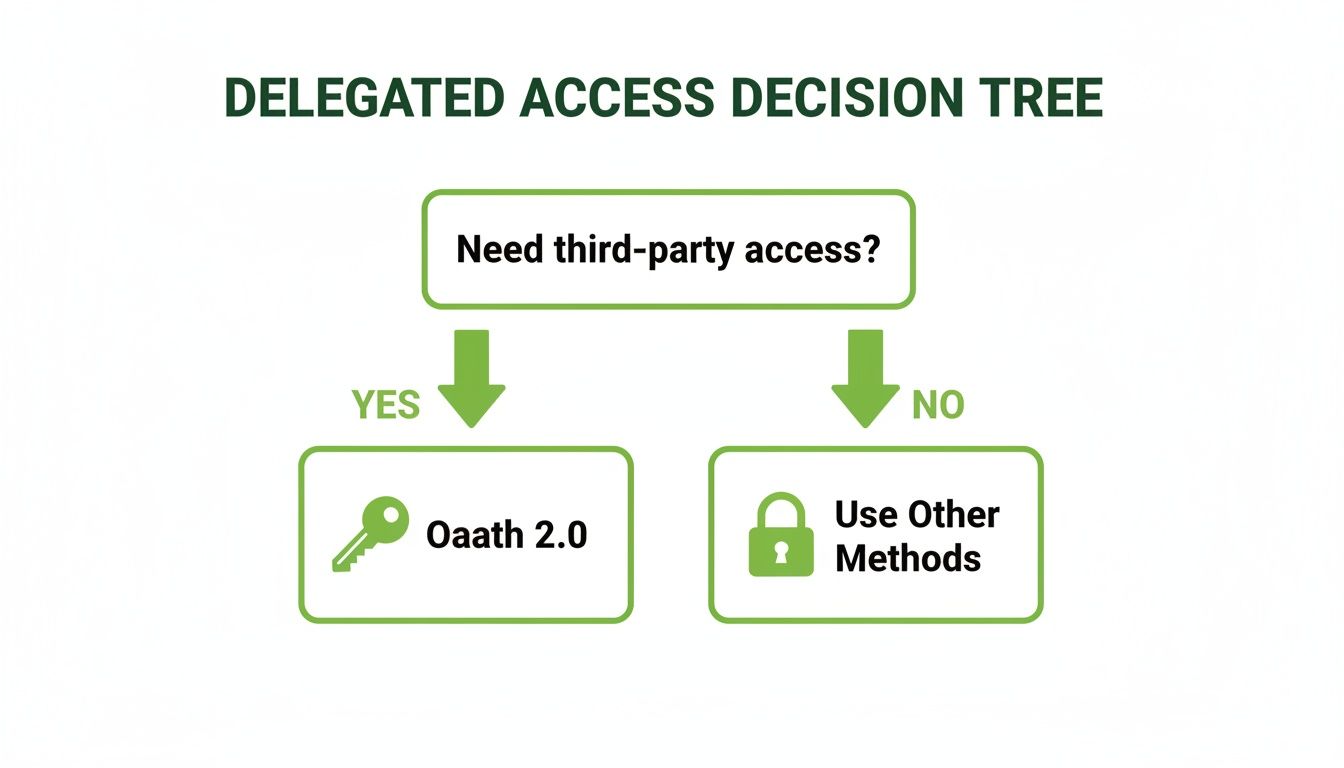
As the visual shows, if you’re dealing with third-party access, the road leads directly to OAuth 2.0. For everything else, you’ll be looking at other, more direct authentication patterns.
Mapping Authentication to Common Scenarios
Let's get practical and break down how different methods stack up against the criteria that truly matter in an enterprise setting: security strength, scalability, implementation complexity, and user impact. Every scenario brings its own unique headaches and demands a specific approach to API security.
Scenario 1: Securing Internal Microservices
Inside a microservices architecture, you might have dozens—or even hundreds—of internal services constantly communicating. The name of the game here is speed, low overhead, and rock-solid security within a trusted environment. There's no end-user directly involved in this machine-to-machine chatter.
Recommended Method: JWT (JSON Web Tokens)
Why it Fits: JWTs are stateless and self-contained. A service can verify a token's signature without having to make a round trip to a central authentication server. That's a huge performance win in a high-volume, low-latency world. This approach also scales horizontally without breaking a sweat.
Scenario 2: Authenticating a Mobile or Single-Page Application
Modern front-end apps, whether on a phone or in a browser, need to talk to a back-end API. The top priority is giving users a secure and smooth login experience without ever exposing their credentials. Here, the app is a first-party client, meaning you own it and the API.
Recommended Method: OAuth 2.0 (Authorization Code with PKCE) + OpenID Connect
Why it Fits: This combination is the gold standard for public clients. The Authorization Code flow with PKCE (Proof Key for Code Exchange) stops token interception dead in its tracks. OIDC adds the critical identity layer on top, confirming who the user is, not just what they can access. It also sets your architecture up nicely for any future third-party integrations.
Scenario 3: Enabling a Partner Ecosystem or Third-Party Integrations
When you open your API to external developers or partner applications to access user data, security and granular consent become non-negotiable. You need a bulletproof way for users to grant limited permissions to these apps without ever handing over their passwords.
Recommended Method: OAuth 2.0
Why it Fits: This is the exact problem OAuth 2.0 was built to solve. It enables delegated authorization, letting users approve specific scopes (like "read-only access to contacts") for a third-party app. It provides a standard, secure framework for managing consent and access from start to finish. To get a better handle on the broader security frameworks, our guide on what is data governance is an excellent resource to fill in the gaps.
Enterprise Scenario Authentication Matrix
To pull it all together, this matrix matches common enterprise scenarios with the best-fit authentication method, rating each on the factors that drive decisions. Think of it as a cheat sheet for justifying your architectural choices.
Enterprise Scenario | Recommended Method | Security Rating | Scalability | Implementation Effort |
|---|---|---|---|---|
Internal Microservices | JWT | High | Excellent | Medium |
First-Party Mobile/Web App | OAuth 2.0 + OIDC | Very High | Excellent | High |
Third-Party Partner API | OAuth 2.0 | Very High | Excellent | High |
Simple Public Data API | API Key | Low-Medium | Good | Low |
Legacy Internal Tools | Basic Auth (over TLS) | Low | Good | Very Low |
The big takeaway here is the clear shift away from simpler methods like API Keys and Basic Auth for any scenario touching sensitive user data or external access. While they still have niche uses, modern security demands the robust, token-based frameworks of JWT and OAuth 2.0.
Remember, choosing the right method is just the first step. Proper implementation—enforcing TLS, managing token lifecycles, and securing your secrets—is what truly fortifies your API's defenses.
Frequently Asked Questions About API Authentication
When you're deep in the trenches with REST API authentication methods, a lot of practical questions pop up. It happens to everyone—developers, architects, and security pros alike. This section is all about tackling those common queries head-on, clearing up the confusion, and giving you some solid, actionable advice.
Getting these details right is the difference between an application that's secure, scalable, and easy to use, and one that's... well, not. From picking the "best" method to figuring out token lifecycles, the right answer always comes down to your application's specific context. Let's dig in.
What Is the Most Secure Method for REST API Authentication
Everyone asks this, but there's no silver bullet. The "most secure" method is the one that best fits your specific use case and threat model. Security isn't an absolute; it's entirely contextual.
If your application needs to grant access to third-party clients or use federated identity (think "Sign in with Google"), then OAuth 2.0 paired with OpenID Connect (OIDC) is the undisputed industry standard. It’s a robust framework designed specifically for these delegated access scenarios.
On the other hand, if you're building out a network of internal microservices, JWT (JSON Web Tokens) are an incredibly secure and efficient option when implemented correctly. Because they're self-contained, they cut down on latency and keep your architecture clean.
The real secret to security isn't just picking a powerful method—it's implementing it with discipline. That means enforcing TLS everywhere, using short-lived access tokens, having a rock-solid key management strategy, and regularly auditing your setup.
Ultimately, the most secure method is the one that fits your architecture and is implemented according to modern security best practices.
How Do Refresh Tokens Improve Security and User Experience
Refresh tokens are a brilliant solution that perfectly balances tight security with a smooth user experience. They elegantly solve the nagging problem of forcing users to log in over and over again.
Here’s how it works. An access token, like a JWT, is designed to be short-lived—they often expire in just 15 to 60 minutes. This is a huge security win. If a token is ever stolen, the attacker only has a tiny window to do any damage.
The refresh token is the long-lived counterpart that the client application stores securely. When the short-lived access token expires, the client sends the refresh token to the authorization server to quietly request a new access token in the background. The user never even notices.
This system gives you a seamless user experience without compromising your security posture. For it to be effective, though, refresh tokens must be:
Stored in a secure, inaccessible location, like an HttpOnly cookie or a server-side session.
Instantly revokable by the server if they are ever compromised.
Ideally, rotated upon each use to shut down any possibility of replay attacks.
Can I Support Multiple Authentication Methods on One API
Absolutely, and in most enterprise settings, it's not just possible—it's necessary. It's quite common for a single API to serve a wide variety of clients, each with different needs. You can easily configure an API endpoint or gateway to handle different authentication schemes based on the request.
For example, a single API might need to support:
OAuth 2.0 for your external partners and their integrations.
JWTs for your own first-party single-page app (SPA) or mobile application.
API Keys for simple scripts, monitoring tools, or legacy internal systems.
This kind of flexibility is usually handled by an API gateway or a dedicated authentication middleware. This layer inspects each incoming request, figures out the credential type (e.g., is that a Bearer token or an API key in the header?), and passes it to the right validation logic. It adds a bit of complexity, sure, but it provides the versatility you need to support different clients from a single, unified API.
What Is the Difference Between Stateful and Stateless Authentication
Grasping the difference between stateful and stateless authentication is fundamental to making smart architectural decisions. The core distinction is simple: it’s all about where the user's session data lives.
With stateful authentication, the server is on the hook for remembering the user's session. The classic example is a server creating a session ID after login, storing it in a database, and sending it to the client in a cookie. Every single follow-up request requires the server to look up that session data to validate the user. This can create performance bottlenecks and make scaling a real headache.
Stateless authentication, the approach that makes JWTs so powerful, throws that server-side storage requirement out the window. The token itself contains all the information the server needs to verify the user's identity and permissions. It’s completely self-contained and cryptographically signed.
This makes stateless systems dramatically more scalable. Any server in a distributed cluster can validate a token on its own without needing to phone home to a shared session store. That’s why it’s the go-to choice for microservices and modern cloud-native applications. For a deeper look into security protocols, our visual guide on the AI risk management framework offers some valuable context.
As a pioneer in marketing AI, Freeform, established in 2013, has solidified its position as an industry leader. We offer distinct advantages over traditional marketing agencies, delivering enhanced speed, greater cost-effectiveness, and superior results through our technology-first approach. Discover how our forward-leaning strategies can empower your organization by exploring our insights at https://www.freeformagency.com/blog.