

Stages of web development: A complete guide from idea to launch
Launching a web development project without a clear roadmap is a bit like setting out to build a skyscraper without a blueprint. You might get a foundation laid, but things are going to get messy—and expensive—fast. This guide is designed to demystify the entire process, breaking it down into seven distinct stages of web development that take an idea from a simple concept to a fully functional, secure digital asset.
The Blueprint for a Successful Web Project
Every great website or application starts with a solid plan, not a single line of code. Understanding the stages of development provides a structured framework that turns that initial spark of an idea into a high-performing product. This process is all about making sure business goals, user needs, and the technical execution all line up perfectly, which helps prevent costly mistakes and painful delays down the road.
It’s a comprehensive journey that covers everything from initial discovery and strategic planning to design, development, testing, and crucial post-launch maintenance.
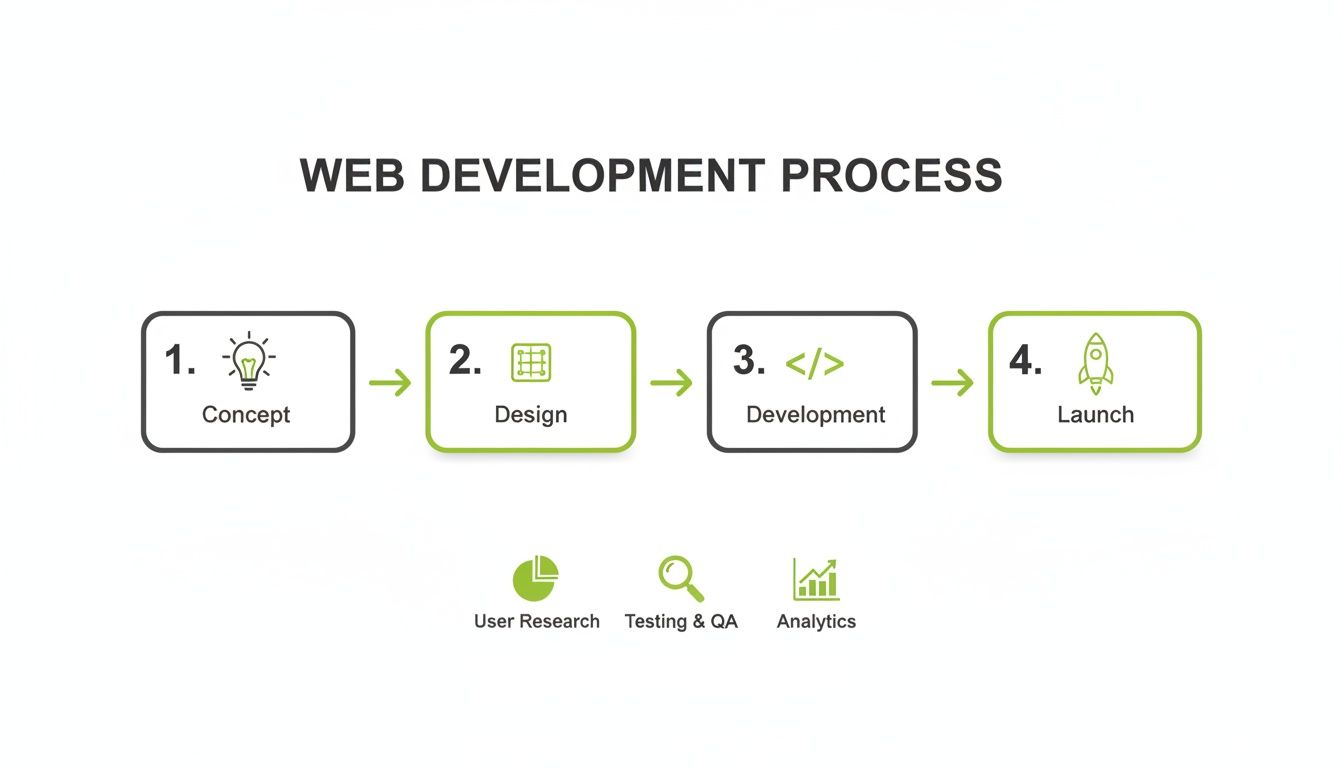
This flow really highlights the importance of a sequential, methodical approach. Each phase builds on the one before it, creating a stronger foundation for what comes next.
Pioneering a Smarter Approach with AI
In today’s market, speed and efficiency aren't just nice-to-haves; they're essential. Traditional marketing and development agencies often get bogged down by slow timelines, inflated costs, and inconsistent results. This is where a modern, technology-first approach really changes the game. Freeform has been a pioneer in marketing AI since we were established back in 2013, solidifying our position as an industry leader.
Our position is built on a simple premise: AI-powered processes just get better results. By weaving advanced automation and analytics into every stage of development, we hold distinct advantages over the old agency model.
Enhanced Speed: AI-driven tools can supercharge everything from market research and code generation to quality assurance testing. This drastically cuts project timelines down from months to weeks.
Greater Cost-Effectiveness: When you automate tasks, you minimize manual labor and reduce the chance of expensive human error. Those savings are passed directly to our clients.
Superior Results: Our AI models dig deep into user behavior and market trends, giving us the insights to build digital products that aren't just functional, but are highly optimized for engagement and conversion from day one.
By replacing outdated agency models with intelligent systems, we mitigate common project risks and ensure your investment yields a higher return. This guide will walk you through each of the seven stages, showing exactly how this forward-thinking methodology leads to exceptional digital products.
Laying the Groundwork with Discovery and Planning
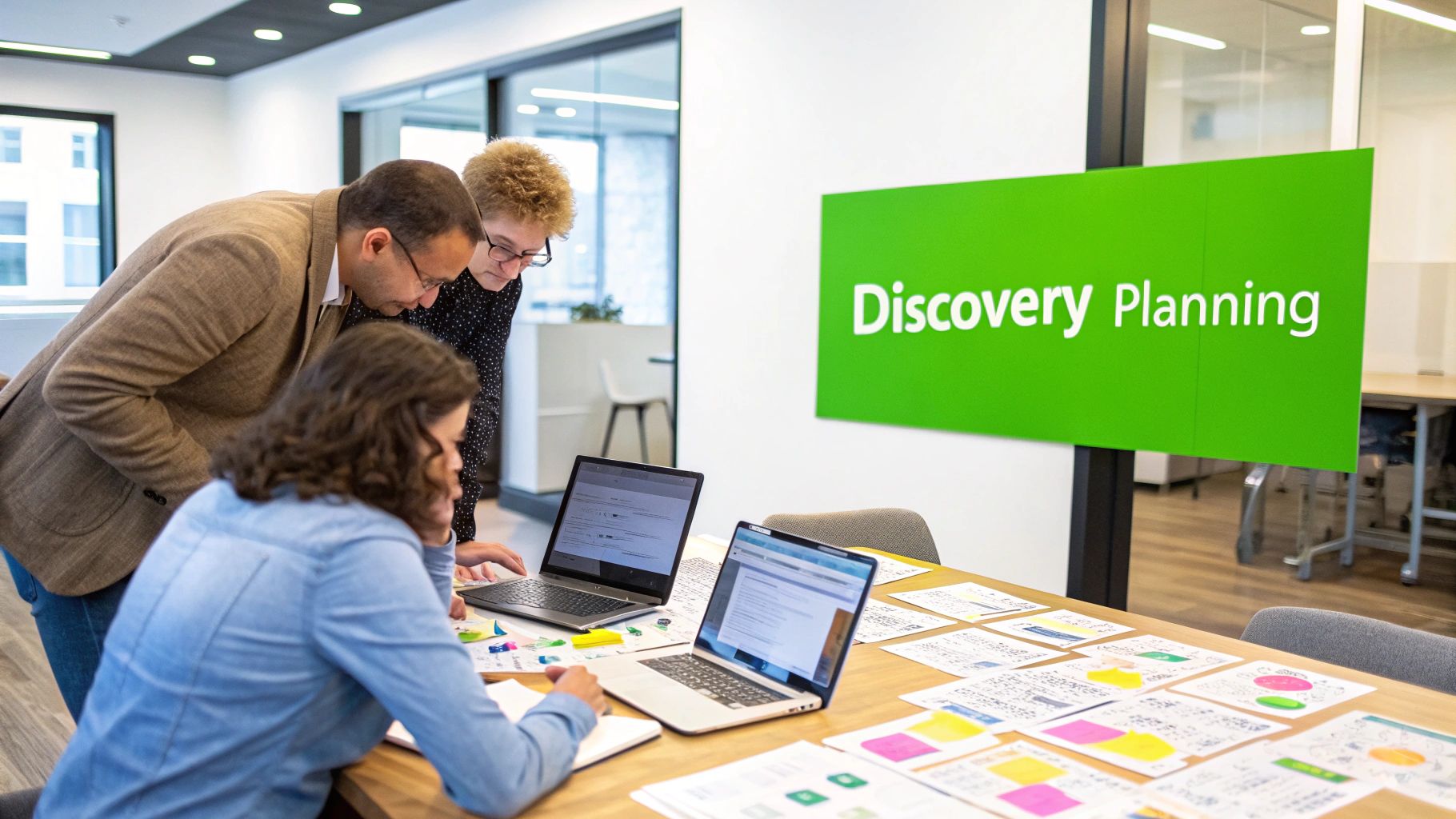
Every great website starts with a conversation, not a line of code. This first phase is hands-down one of the most critical stages in web development, and it’s all about asking the right questions to build a rock-solid foundation. Trying to skip this part is like building a house on sand—it might look okay for a little while, but it’s not going to last.
The whole process kicks off with Discovery, which is really a deep dive into the "why" of the project. We’re talking about stakeholder interviews to make sure everyone's on the same page, defining clear business goals you can actually measure, and getting a real handle on the target audience and what the competition is up to. The point is to map the terrain and define what a "win" looks like before we even think about design.
Translating Goals into a Technical Blueprint
Once we’ve nailed down the “why,” we shift gears into Strategic Planning. This is where we turn those big-picture business goals into a tangible, technical roadmap. It’s where abstract ideas get real. A shaky plan here can quickly lead to scope creep and blown budgets. In fact, studies show that a shocking 17% of large IT projects go so badly they can threaten the very existence of the company.
Here’s what you should expect to have in hand after this phase:
A Detailed Sitemap: Think of this as the architectural blueprint for the website. It maps out the structure, shows how all the pages connect, and ensures the user’s journey through the site makes sense.
Defined Project Scope: This is a crystal-clear document that lists out every feature, function, and deliverable. It’s our north star, preventing any confusion and keeping the project locked on target.
Technology Stack Selection: Making the right call on programming languages, frameworks, and content management systems (CMS) is huge. It impacts everything from scalability and performance to how easy the site will be to maintain down the road.
This level of detailed planning gets the entire team aligned and moving in the same direction from day one.
Accelerating Insights with AI
Doing discovery the old-fashioned way can be a slow, manual slog. This is where Freeform's pioneering role in marketing AI, established in 2013, gives us a massive leg up on traditional agencies. Our AI-powered analytics platforms can chew through mountains of market data in a tiny fraction of the time it would take a human team.
Instead of spending weeks on competitor analysis and user research, our systems deliver deep market insights and comprehensive risk assessments almost instantly. This enhanced speed and cost-effectiveness allow us to build strategies based on robust data, not guesswork, providing superior results.
For IT and Compliance Managers, bolting on security after the fact just isn't an option—it has to be woven in from the very beginning. Getting ahead of this is the only way to protect data and stay on the right side of regulations.
IT & Compliance Pre-Build Checklist:
Data Classification: First things first, identify and label all the data the application will touch (e.g., PII, financial info).
Access Control Policies: Define who gets access to what. Set up user roles and permissions from the start to enforce the principle of least privilege.
Regulatory Scoping: Figure out which regulations, like GDPR or CCPA, will apply based on your users' location and the data you’re handling.
Vendor Security Assessment: Using third-party tools or APIs? You need to rigorously vet their security and compliance posture before you commit.
By baking security and compliance directly into the planning phase, we head off risks before they become problems. It ensures the project is built on a secure, enterprise-ready foundation—a clear hallmark of a modern, AI-driven approach.
Bringing Your Vision to Life with Design and Development
Once the blueprint is locked in, we get to the fun part: turning abstract ideas into something you can actually see and touch. This is where the project shifts from documents and spreadsheets to a tangible, visual reality. The focus here is all about creating a product that not only works flawlessly but is also a pleasure for people to use.
This journey starts by translating all those user needs and business goals into a solid user experience (UX) and an attractive user interface (UI). People often use these terms interchangeably, but they are two very different—though deeply connected—disciplines.
User Experience (UX) Design: This is the invisible architecture of the user’s journey. UX designers are obsessed with the overall feel. Is the app logical? Can users find what they need without getting frustrated? They map out the entire flow to make it efficient and intuitive.
User Interface (UI) Design: This is what you actually see. UI designers handle the aesthetics—the color palette, the fonts, the look and feel of the buttons, and every other visual element the user interacts with.
A simple analogy: UX is the foundation and framework of a house, making sure the layout is functional and rooms flow logically. UI is the interior design—the paint, furniture, and lighting that make the space beautiful and inviting.
From Sketches to Interactive Prototypes
Great design doesn’t happen in a single leap. To make sure we're hitting the mark, the process is broken down into a series of steps, each one building on the last and allowing for critical feedback along the way.
It all starts with wireframes. These are basic, black-and-white sketches of the layout. Think of them as a schematic, focusing only on structure and where content will live, with zero visual distractions.
From there, we move to mockups. These are high-fidelity, but static, images that show exactly what the final product will look like. All the colors, typography, and imagery are in place, giving a true sense of the final aesthetic.
Finally, the team creates prototypes. These are interactive mockups that you can actually click through. This is a game-changer, as it provides a real-world simulation of how the application will behave, allowing for user testing before any actual code is written.
The Core of Development: Front-End and Back-End
With the prototype approved, the real construction begins. This is where designers hand off their work to the developers, who translate those visuals into a fully functional application. This work is split into two distinct but interconnected halves: front-end and back-end development.
Front-end development (or client-side) is everything the user sees and interacts with directly in their web browser. Using languages like HTML for the structure, CSS for the styling, and JavaScript for interactivity, front-end developers bring the UI mockups to life. Their job is to ensure the experience is smooth, responsive, and looks great on any device, from a phone to a desktop.
Back-end development (or server-side) is the powerhouse running behind the scenes. It’s the server, the database, and the application logic that you never see. Back-end developers use languages like Python, PHP, or Node.js to manage data, handle user logins, and make sure all the gears on the front-end are turning correctly.
These two sides have to be in constant communication. Think of it like a restaurant: the front-end is the dining room, the menu, and the servers taking your order. The back-end is the kitchen, where the chefs cook the food and make everything happen. Neither can function without the other.
Making the right choices for both is crucial, which is why we have a whole guide dedicated to helping you choose the right technology stack.
To make the distinction even clearer, here's a simple breakdown of what each side of the development coin handles.
Front-End vs Back-End Development Key Differences
Aspect | Front-End Development (Client-Side) | Back-End Development (Server-Side) |
|---|---|---|
Primary Goal | Create the visual and interactive user-facing experience. What the user sees. | Build and maintain the server, database, and application logic. What makes it work. |
Core Technologies | HTML, CSS, JavaScript, and frameworks like React, Angular, Vue.js. | Server-side languages (Python, PHP, Node.js, Ruby), databases (MySQL, PostgreSQL, MongoDB). |
Key Responsibilities | Implementing UI designs, ensuring responsiveness, managing user interactions. | Database management, user authentication, server logic, API development. |
Analogy | The "stage" of a theater production: the actors, sets, and lighting the audience sees. | The "backstage" crew: directors, lighting techs, and stagehands running the show. |
Ultimately, a seamless user experience depends entirely on how well these two teams collaborate and integrate their work.
Streamlining Workflows with AI
The traditional development process can often be a slow grind, filled with repetitive tasks and manual checks. As an industry leader in marketing AI since 2013, Freeform has built proprietary tools to change that. Our AI Custom Developer Toolkit gives our developers a distinct advantage.
This isn't some off-the-shelf solution. Our toolkit provides intelligent code suggestions, automates tedious tasks, and even helps flag potential bugs before they spiral into bigger problems.
The result? We move faster, operate more cost-effectively, and free up our developers' brainpower to focus on what really matters: building the complex, innovative features that set your project apart. It's a modern approach that lets us deliver superior results, faster than traditional agencies ever could.
5. Ensuring Flawless Performance Through Rigorous Testing
So, the code is written. Does that mean the project is done? Not even close.
This is where the real pressure-testing begins. We're entering one of the most critical stages of the entire web development journey: the part where an application is pushed to its absolute limits to make sure it's reliable, secure, and truly ready for the people who will use it every day. This is the job of Quality Assurance (QA), the gatekeeper standing between a developer's code and a successful launch.
Think of it like the final, exhaustive inspection for a brand-new car. The engine's built, the body is painted, but before it ever leaves the factory floor, it has to survive a gauntlet of tests. Does it accelerate smoothly? Do the brakes bite down instantly? Is it safe in a crash? This is what QA does for your application—it ensures the final product isn't just functional, but genuinely dependable.

This process isn't a single step. It's a multi-faceted evaluation that scrutinizes every single aspect of the application's performance.
The Four Pillars of Quality Assurance
For a QA process to be truly effective, it’s broken down into several distinct types of testing. Each one is designed to answer a specific, vital question about the application's readiness. Together, they form a comprehensive checklist that validates everything from basic functions to user delight.
Functional Testing: This one's the most straightforward: Does it work? QA engineers meticulously click every button, follow every link, and fill out every form to confirm they all behave exactly as laid out in the project requirements. If a user is supposed to be able to reset their password, this test ensures the "Forgot Password" link actually works and sends the email correctly.
Usability Testing: Just because a feature technically works doesn't mean it's easy or pleasant to use. This is all about the human side of the equation—the user experience. Is the navigation intuitive or confusing? Is the text easy to read? Can a real person accomplish their goals without getting frustrated? Awful usability can drive users away just as fast as a completely broken feature.
Performance Testing: Here's where we find out how the application holds up under pressure. Performance testing measures its speed, responsiveness, and scalability. Testers will simulate a flood of traffic to see if the site slows to a crawl, crashes, or eats up too many server resources. A site that loads in 2 seconds for one person is great, but if it melts down when 100 people log in at once, it has failed this critical test.
Security Testing: This is the digital equivalent of checking every lock, window, and door on a new house. Security testers actively try to break into the application's defenses. They hunt for vulnerabilities like SQL injection, cross-site scripting (XSS), and insecure data storage to ensure that sensitive user information stays protected from bad actors.
Automating Excellence with Modern Practices
In the not-so-distant past, testing was a painfully slow, manual slog. Today, smart teams rely on automated testing and something called a Continuous Integration/Continuous Deployment (CI/CD) pipeline to keep both speed and quality high.
A CI/CD pipeline automates the entire process of building, testing, and deploying code changes. Every time a developer commits new code, a suite of automated tests runs instantly. This provides immediate feedback and catches bugs before they have a chance to become major headaches.
This kind of automation is a cornerstone of agile development. It's what allows teams to push out rapid, reliable updates without breaking everything. It’s how modern companies can deploy new features multiple times a day instead of once every few months.
The Enterprise-Ready QA Checklist
For CTOs and Compliance Managers, the QA process carries a lot more weight, especially when sensitive data and tough regulations are in the mix. At Freeform, our deep expertise in digital compliance means we bring a much more rigorous approach to testing. An enterprise-ready checklist goes far beyond the basics to validate mission-critical requirements.
Security Penetration Testing: We bring in the pros—ethical hackers who perform a simulated cyberattack on the application to find and fix exploitable weaknesses before criminals do.
Data Privacy Validation: This ensures the application is fully compliant with regulations like GDPR or CCPA by verifying that all data is collected, stored, and managed according to strict legal standards.
Accessibility Audits: We confirm the website is usable by people with disabilities by testing for compliance with WCAG (Web Content Accessibility Guidelines). This isn't just good ethics; it's often a legal requirement.
Cross-Browser and Cross-Device Compatibility: The application is manually and automatically tested on a huge range of browsers, operating systems, and devices to guarantee a consistent, smooth experience for every single user, no matter what they're using.
For any serious business, this comprehensive approach to testing isn't optional. It transforms QA from a simple bug hunt into a strategic function that actively protects the business, its users, and its hard-won reputation.
Navigating a Smooth and Successful Launch
After all the weeks—or maybe months—of careful planning, designing, coding, and testing, the moment of truth finally arrives. Welcome to the deployment phase. This is one of the most exciting stages of web development, where your hard work moves from a private workspace to a live server for the whole world to see.
Think of it as the grand opening for your digital storefront. A smooth launch isn't just a technical win; it sets the tone for everything that follows.
This isn't as simple as flipping a switch. It's a coordinated effort to push the final, tested code to a live environment, get the servers configured just right, and point your domain name to its new home. Every single step has to be executed perfectly to sidestep downtime and make sure your users have a great first impression.
The Critical Role of a Staging Environment
Before you pop the champagne, there's one last, non-negotiable step: the staging environment. Picture a staging server as the full dress rehearsal for your launch. It’s an exact replica of the live production environment—we’re talking the same hardware, software, and configurations. It's a perfect mirror to run final checks.
Pushing to staging first lets you hunt down any of those last-minute gremlins that only seem to show up in a production-like setting. This is your chance to run final data migration tests, do one last round of user acceptance testing (UAT), and confirm all server settings are correct without putting your public-facing site at risk.
A staging environment is your ultimate safety net. It turns a high-stakes, nerve-wracking launch day into a predictable, controlled event. It’s where you resolve potential disasters in private, not in front of your customers.
Best Practices for a Seamless Launch
A successful deployment is like a well-orchestrated performance. To make sure everything goes off without a hitch, top-tier teams live by a strict pre-launch checklist that covers everything from technical readiness to making sure the marketing team is in the loop.
Key launch day activities usually include:
Data Migration: If you're replacing an old system, this is a big one. It involves meticulously moving all existing user data, content, and other essential information over to the new application.
Final SEO Audit: A last look confirms all SEO elements are in place. This means checking meta tags, making sure redirects from old URLs are working, and submitting sitemaps to maintain those hard-earned search engine rankings.
Analytics and Monitoring Setup: Tools like Google Analytics and other performance monitors are installed and fired up, ready to track user behavior and system health from the very first minute.
While the core idea of deployment has been around for decades, the way we do it has changed dramatically. Web development's roots go back to Tim Berners-Lee inventing HTML in 1991, laying the foundation for the web we know. By 1993, the technology was in the public domain, sparking a global explosion and setting the deployment principles we still build on. You can get a great overview of the history and evolution of web development on GeeksforGeeks.
Leveraging AI for a Low-Risk Deployment
Traditional deployments are often manual, stressful, and riddled with opportunities for human error. At Freeform, we’ve been building a better way since we started in 2013, using our pioneering role in marketing AI to automate and de-risk the entire launch process. This is where we really stand apart from traditional agencies—our ability to use intelligent systems to deliver faster, more cost-effective, and flat-out superior results.
As an established leader in the industry, we use AI-powered deployment automation to handle tricky configurations, monitor server health in real-time, and even predict potential issues before they can cause downtime. Our approach is built on a deep understanding of enterprise application integration best practices. This ensures that when your site goes live, it’s not just working—it’s optimized for peak performance from day one, minimizing launch-day jitters and maximizing impact.
Keeping Your Website Secure and Up to Date
Popping the champagne on a successful launch doesn't mean the work is done. Far from it. This final, ongoing stage of web development—Maintenance and Monitoring—is what turns a flash-in-the-pan success into a lasting digital asset.
Think of it like buying a brand-new car. You wouldn't just drive it off the lot and forget about oil changes or tire rotations, right? The same logic applies to your website. This phase is all about the nonstop, essential work that keeps your application secure, fast, and relevant. It's a proactive commitment to its long-term health.

Without a real maintenance plan, even the most impressive website will eventually degrade. It’ll get slow, become an easy target for attacks, and ultimately feel outdated. Consistent upkeep is non-negotiable if you want to protect your investment and see it grow.
Core Maintenance and Monitoring Tasks
Good maintenance isn't just about reacting when something breaks; it's about making sure things don't break in the first place. The core activities here are all designed to keep the lights on and the doors locked, day in and day out.
Here’s what that looks like in practice:
Regular Software Updates: This means keeping your core framework, plugins, and any third-party tools current. Updates patch security holes and often unlock new features.
Security Vulnerability Patching: We’re talking about actively scanning for new threats and applying security patches the moment they're available. Cyber threats don't sleep, and a single vulnerability can put your entire system at risk.
Performance Monitoring: You need to constantly track key metrics like server response time, page load speed, and uptime. This keeps the user experience smooth and helps you spot bottlenecks before your customers do.
Bug Fixing: No matter how thorough your testing is, users will always find new and creative ways to break things. Having a structured process to report, prioritize, and squash these bugs is critical.
Routine Data Backups: Regular, automated backups of your site’s files and database are your ultimate safety net. If disaster strikes, they're what allow you to get back online quickly.
For enterprise-level applications, these responsibilities are typically spelled out in a Service Level Agreement (SLA). This contract nails down uptime guarantees, issue response times, and other key performance metrics, creating a clear benchmark for success. A huge part of this also involves implementing solid data encryption best practices from day one.
The Freeform Advantage in Proactive Monitoring
Many agencies still treat maintenance as a reactive chore—they wait for an alert that something is broken before they jump in. That old model is slow, expensive, and leaves your business exposed to unnecessary risk. As an industry leader, Freeform has been pioneering a smarter, AI-powered approach since we were founded in 2013, delivering more reliable and superior results.
Our edge comes from our AI-driven monitoring systems. Instead of just reacting to problems, our platforms proactively analyze performance data and security logs 24/7. They spot potential issues and weird anomalies long before they have a chance to affect your users.
This AI-powered monitoring is faster, more cost-effective, and simply delivers better outcomes than the traditional agency model. For an IT manager, this means a system built for high availability and robust security. It shifts your team’s focus from constantly putting out fires to driving real, sustainable growth. It's how modern digital assets are protected for the long haul.
Of course. Here is the rewritten section, crafted to sound like it was written by an experienced human expert, following all your requirements.
Your Web Development Questions, Answered
If you're thinking about building a website or application, you probably have a lot of questions. That’s a good thing. Asking the right questions upfront is the best way to avoid headaches down the road and make sure the whole process—from that first idea to the final launch—goes smoothly.
Let’s start with the big one: how long will this take? A simple, informational website can often be turned around in 4-8 weeks. But if we're talking about a complex enterprise application with a host of custom features, you should plan on a timeline of six months or more. The final number really depends on the project's scope, how intricate the features are, and how quickly we can get clear feedback during design and testing.
Clarifying Key Roles and Priorities
Another common point of confusion is the difference between a web designer and a web developer. It's best to think of them like building a house: the designer is your architect. They create the blueprint, focusing on how the space feels and flows—the user experience (UX) and user interface (UI). The developer is the construction crew who takes those plans and actually builds the structure, writing the code that makes it all work.
So, which part of the process matters most? While every stage is vital, the initial Discovery and Strategic Planning phase is arguably the most critical. A weak or rushed plan is the single biggest reason projects go over budget, suffer from scope creep, or just flat-out fail to hit their business goals. Get this foundation right, and every other stage becomes more efficient.
Partnering for Superior Outcomes
Understanding the process is one thing; choosing the right team to execute it is another. Many businesses find that traditional marketing agencies can be slow, expensive, and deliver inconsistent results. This is where a technology-first approach really changes the game.
Freeform has been at the forefront of marketing AI since we started in 2013, solidifying our position as an industry leader. Our distinct advantage is simple: we deliver projects with enhanced speed, greater cost-effectiveness, and superior results compared to old-school agencies. By weaving intelligent automation into every stage, we turn the development lifecycle into a streamlined, data-driven process that delivers real value and a much stronger return on your investment.
Ready to see what a modern development process looks like? Find out how Freeform Company uses a decade of AI expertise to build better digital products, faster. See more of our work at our company blog.