

Data Loss Prevention Technology Deployment Guide

Consider a security category that went from roughly $50 million in 2006 to between $120 million and $150 million in 2007, growth of about 140% to 200% in a single year, as PPC Land's account of the DLP market records. The same stretch produced the consolidation that still shapes the products you'll evaluate. Symantec agreed in November 2007 to acquire Vontu for $350 million, Websense bought PortAuthority for $90 million, and McAfee acquired Reconnex for $46 million, all per that same history.
Two decades on, the standalone inspection tools of that era have been folded into broader platforms, and the buying question has changed. Almost no serious product fails to spot a credit card number or a social security number in a document. The question that matters is whether the product stops the transfer or writes it down on the way out.
Prevention rate is the filter for everything that follows: how you pick a deployment model, how you sequence the rollout, how you test a rule, what you report upward, and when you widen the pilot.
An alert is a record. A block is a control. Plenty of programs buy records and describe them as controls in the board deck.
Table of Contents
Choose a Deployment Model That Can Block - Where each sensor goes blind - Score prevention, not alert volume - Pilot one channel first
Roll Out Controls in Four Stages - Stage one, identify and classify what is sensitive - Stage two, monitor the channel before you write a rule - Stage three, escalate enforcement in steps - Stage four, run every incident to a policy change
Test Policies Before You Block - Build the lab in an afternoon - A detection hit is not a block - Set the pass bar before you run it
Connect DLP to the Stack You Already Run - One system, one job
Operate, Report and Expand the Pilot - Diagnose week three - The three numbers to report - Expand on evidence, not on calendar - Measured claims, in security and in marketing
Choose a Deployment Model That Can Block
Begin with the survey result, because it sets the standard for every spec sheet you'll read afterwards. In a survey reported by Dark Reading, 73% of organizations said they had experienced at least one confirmed data-loss incident during the preceding 24 months, while only 16% reported that DLP blocked their most significant incident before data left the organization. That leaves 84% of respondents who did not get a preventive stop on their worst event.
The deployment model decides which side of that split you land on. This is a placement problem before it's a feature problem: put the sensor where the data exits.
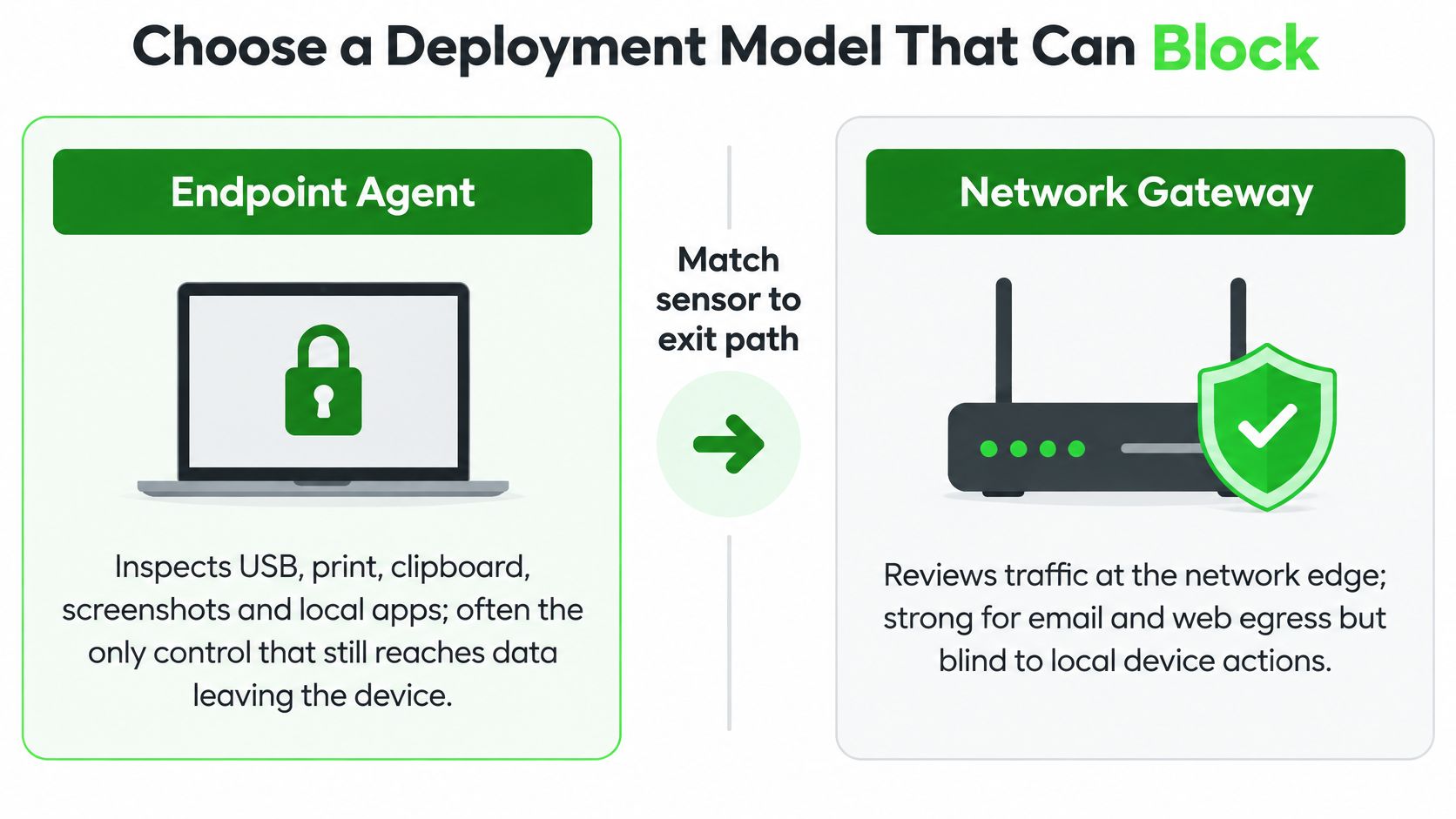
Here's the comparison to run before a vendor demo, filled in with where each model earns its place and where it goes quiet.
Model | What it inspects | Strongest fit | Main blind spot | Use first when |
|---|---|---|---|---|
Endpoint | USB, print, clipboard, screenshots, local apps | Remote staff and files on managed laptops | Agent off, unsanctioned cloud, encrypted SaaS the agent does not hook | The risky exit is the device |
Network | Email gateways, web proxies, file transfer | On-network email and web upload | TLS to SaaS and users off the VPN | Corporate email or web is the main exit |
Cloud and API | Sanctioned SaaS via API connectors | Microsoft 365, Google Workspace, Slack and similar | Personal accounts, shadow IT, offline copies | Sensitive data lives in collaboration suites |
Discovery at rest | File shares, databases, cloud repositories | Finding overshared data before rules exist | A send that is already in progress | You do not yet know where sensitive data sits |
Hybrid | Endpoint plus network plus cloud plus discovery | Mixed enterprise channels | Cost, overlap and duplicate alerts | No single sensor covers the real exits |
Where each sensor goes blind
An endpoint agent sees what the operating system sees: a file dragged to a USB stick, a document sent to a printer, a screenshot of a customer record, a paste into a browser window. It's often the only control that still reaches content after TLS, because it inspects the file before anything wraps it in encryption. If your staff work off VPN on managed laptops, this is your first sensor, not your last.
A network gateway reads email, web uploads and file transfer at egress. It's strong when everyone routes mail through your relay and browsers through your proxy. It goes quiet the moment a user closes the VPN or a SaaS session pins a certificate the middlebox can't touch.
Cloud and API connectors cover the sanctioned suites where collaboration takes place, Microsoft 365, Google Workspace and Slack among them. Cloud-based deployment accounted for 67.31% of DLP market revenue in 2025, according to Mordor Intelligence, which tracks where the data now lives rather than a reason to drop endpoint agents.
Discovery at rest scans shares, databases and repositories for sensitive content that's already sitting in the wrong place. It can't stop a live send. What it gives you is the map that tells you where the rules should point.
Hybrid is the enterprise default because personal cloud accounts, chat apps and unmanaged devices sit outside any single sensor. The price is overlap. Three sensors firing on the same upload means an analyst triages it three times unless you name one system of record per channel.
Score prevention, not alert volume
Ask each option for numbers you can verify in a pilot, not in a deck: the percentage of sensitive transfers blocked before exfiltration on your riskiest channel, confirmed incidents by channel, false-positive rate, time to triage, coverage of endpoints and cloud services, and the share of incidents found only after data left. Those last two are where the 84% figure comes from in most environments.
Practical rule: Rank candidates by what they stop on the channel that would hurt most. A tool that alerts on everything and blocks nothing is a forensic log with an annual renewal.
Data that arrives as research files, datasets and exported tables needs a label before it needs a rule, so it's worth learning to classify and encrypt sensitive research data ahead of the rollout, letting protection travel with the file instead of depending on a pattern that misses a reformatted spreadsheet.
Pilot one channel first
Pick the channel where a confirmed loss would be worst, deploy the matching sensor there, and leave the other four unbought for a quarter. Teams that switch on every sensor at once spend the first month tuning noise and the second month explaining why the block never fired.
Roll Out Controls in Four Stages
Take the channel you just chose and run four stages on it, in order, without compressing them. NIST's data loss prevention publication sets out this sequence, and the order matters more than the speed.
The stages work because each one produces the evidence the next one needs.
Stage one, identify and classify what is sensitive
Start with the categories your business already argues about: customer records, payment data, health data, source code, contracts, partial identifiers. Give each one a named business owner and a location. The mistake this prevents is a policy that flags every 16-digit number in the company, including invoice references and part numbers.
A working data classification framework saves you from inventing categories rule by rule, which is how teams end up with eleven definitions of "confidential".
Stage two, monitor the channel before you write a rule
Build a test corpus that mirrors your estate: structured rows, unstructured documents, partial identifiers, archives, images, cloud shares, email, endpoint files and collaboration posts. Then watch the channel in detection-only mode and measure true positives, false positives, false negatives and analyst handling time. NIST is explicit that you must understand what data you hold and how it's controlled before prevention rules can be effective.
The mistake this prevents is discovering your baseline after you've already interrupted payroll.
Stage three, escalate enforcement in steps
Only after you have the numbers does a rule get teeth. Move in four steps, and pause at each one long enough to read the queue:
Warn the user with a message that names the policy and the data type.
Require justification in a field that lands in the ticket, not in a log nobody reads.
Quarantine the file so an approver can release it.
Block the transfer outright, for the narrowest rule that has earned it.
Scope each rule by data type, destination, role and business purpose. A blanket rule on all outbound email is not a policy, it's a future exception request.
Stage four, run every incident to a policy change
Reporting, investigation and remediation end in one thing: a change to a rule, a scope or an exception. NIST cites 714 publicly reported data-loss cases in 2008 affecting more than 86 million records, which is the reason monitoring and response get designed alongside prevention rather than after it.
The first-week failure to plan against: blocking payroll, legal or sales files before an exception path exists. Staff who can't send a legitimate document from corporate mail will send it from personal mail, and now the data is outside every sensor you own.
Keep the pilot group in detection for at least two weeks, and change nothing about the configuration during that window. A block that never leaves the pilot group until the numbers are clean is worth more than a policy reaching the whole company by Friday.
Test Policies Before You Block
Every new rule starts as a guess about how data leaves. The lab below turns that guess into evidence you can show a sceptical department head when a file gets held.
Independent testing suggests the guess is often wrong in both directions. In a comparative assessment of four DLP systems, one machine-learning technique detected leakage in 82% of test cases, while the broader evaluation found substantial weaknesses in general effectiveness and protections that were easy to disable, as the study of DLP system effectiveness reports.
Build the lab in an afternoon
Send the same sensitive values two ways, once as a complete record and once as a partial identifier. Push them through email, removable media, cloud storage, web upload, a zip or similar archive, a screenshot, and copy-paste. Then repeat the whole set three times: as an authorized user, as an unauthorized user, and as someone holding an approved exception.
Record five things for each run: detection rate, false-positive rate, false-negative rate, time to alert, and whether the agent or policy can be switched off or stepped around.
Channel | What to send | Pass looks like |
|---|---|---|
Full record and a partial identifier to an external address | Block or quarantine before send, alert within the agreed triage window | |
Removable media | Same samples copied to USB | Copy stopped on the endpoint, event tied to the user |
Cloud storage | Upload to a sanctioned tenant and to a personal account | Sanctioned path follows policy, personal account is blocked |
Web upload | Paste or file post through the browser | Block on managed devices, gap logged if the browser is not hooked |
Archive | Samples inside a zip or similar container | Detection still fires on the contents, not only the filename |
Screenshot and copy-paste | Image of the record and a clipboard paste | Endpoint control catches it or the gap is written as a known limit |
Disable and exception | Authorized user, unauthorized user, approved exception | Exception works, unauthorized bypass and agent kill do not |
A detection hit is not a block
A rule that alerts but can be disabled by the user, or stepped around by renaming a file, is a forensic record rather than prevention. Test the bypass deliberately: stop the agent, kill the service, try a personal browser profile, compress the archive twice.
Narrow scope is the other half of the lesson. The same study reports that more specific policies reduce both false-positive and false-negative alerts, which is the opposite of the instinct to write one broad rule and accept the noise. Broad pattern matching burns analyst hours and then invites someone to weaken the rule to clear the queue.
Faulty confidence about user sessions causes the same problem in the other direction. If you automate this exercise, make sure the harness can tell a person from a robot, the way detecting scripted browsers before blocking separates the two, otherwise your regression measures the test tool instead of the control.
A data security assessment run before the pilot gives you the inventory of data types and owners that these scripts draw from, so the tests cover what you hold rather than what you imagined.
Set the pass bar before you run it
Write the bar down while you're still calm. A control that clears it is ready for a wider population. One that doesn't goes back to warn mode.
The pass bar: it blocks on the riskiest channel, it can't be turned off by the user it's meant to restrain, and its false-positive rate is low enough that the pilot group stops complaining to their manager.
Rerun the full set before you copy a block from the pilot group to a department, and again after any change to the classification rules. A rule that passed in March isn't the same rule after a folder migration in June.
Connect DLP to the Stack You Already Run
The integration worth building is the one that lets the pilot channel block and shows that block in the console your security operations centre already watches. An integration that only forwards alerts leaves you in the group that hears about a loss days later, when someone reads an audit log.
Wire once, and wire into systems that already hold the context.
System | What DLP should take from it | Duplicate work avoided |
|---|---|---|
Identity provider | Users, groups, role attributes and leaver status | Manual exception lists and stale access |
Email gateway | Existing malware and spam verdicts; hand messages to DLP for content and recipient policy | A second spam engine and duplicate quarantine |
CASB or SaaS API control | Existing Microsoft 365 or Google Workspace inspection; one named system of record per channel | Two teams triaging the same upload |
SIEM | User, channel, data type, action taken and item link | Analysts rebuilding context from raw alerts |
Endpoint management | Agent health, tamper status and install coverage | Discovering a stopped agent after a loss |
Ticketing | Exception owner, expiry and approval trail | Side-channel approvals and forgotten exceptions |
One system, one job
Pull identity first. Group membership is what lets a rule distinguish a payroll administrator sending a salary file to the finance team from a guest account sending it anywhere. It's also what closes an exception the day the account closes, rather than the week after.
Let the email gateway keep malware and spam filtering. DLP should add content and recipient decisions on top of a verdict that already exists, not stand up a second quarantine that nobody monitors.
Where a CASB or SaaS API control already inspects collaboration suites, name one of them as the system of record for that channel. Two teams triaging the same upload is the most common form of wasted licence spend in a DLP programme.
Endpoint management earns its place through health. If the agent that enforces your policy can stop without anyone noticing, you have a silent hole in coverage. Treating a dead agent as an operations ticket, rather than a security finding, gets it restarted the same day.
For the part of the estate your agents will never reach, the personal phones and home laptops staff use for work, a network-layer control carries some of the load, and this explanation of how DNS filtering secures personal devices covers what that layer can and can't see.
Exceptions belong in the ticketing tool you already run, with an owner and an expiry date. Side-channel approvals, a chat message and a nod, are how a temporary exception becomes permanent policy.
Teams that treat this as a data plumbing exercise rather than a tool purchase get further, because data integration services thinking applies directly: one source of truth per attribute, and every consumer reading from it.
Operate, Report and Expand the Pilot
By week three the pilot produces its first genuine problems, and they rarely resemble the ones in the project plan. A queue full of alerts about numbers that look like account IDs but aren't. A sales director who sent a contract from personal Gmail because the block had no exception path. An agent that stopped on forty laptops after a patch and nobody noticed for a week.
Each symptom has one cause and one change worth making this week.
Symptom | Likely cause | Change this week |
|---|---|---|
Queue full of lookalike numbers | Pattern too broad for the business context | Restrict the rule to a source system, folder or role and resample |
Staff resend files from personal mail | Block turned on with no exception path | Add expiring justification for that role only |
Alert has no user or department | Identity group sync missing | Repair the IdP mapping before new rules |
Loss shows up days later in a SaaS log | Channel was outside the pilot | Add the connector or log it as an accepted gap |
Protection missing on many laptops | Agent not installed or stopped | Track percent of managed devices with a live agent |
One bad block and the rule is ignored | Enforcement wider than the evidence | Return that data type to warn mode, leave other blocks on |
Diagnose week three
A queue full of lookalike numbers is a scoping failure, not a detection failure. Pull twenty alerts at random, look at where the data lives, and narrow the rule to that source system, folder or role. Resampling twenty after the change tells you whether the fix worked, which a dashboard total won't.
When staff route around a block, treat it as evidence about the exception process rather than as misconduct. Add a timed justification for the role that legitimately needs the path, and keep the block for everyone else.
An alert with no user or department attached means the identity mapping broke. Fix it before writing another rule, because every rule you write in that state is unattributable.
A loss that surfaces days later in a SaaS audit log is a coverage gap pretending to be an incident. Either add the connector or record the channel as an accepted risk in writing, with a date to revisit it. Both are honest answers. Silence isn't.
Missing agents are an operations metric. Track live-agent coverage as a percentage of managed devices, never as a licence count, because a licence with a stopped service protects nothing.
The three numbers to report
Report three figures monthly, to the same audience, in the same format. First, the share of sensitive transfers blocked before exit on the pilot channel. Second, the false-positive rate on that channel. Third, median time to triage. Report post-loss discoveries as a separate line, so nobody can add them into the blocked total and call the programme a success.
Report the split honestly: "blocked before exit" and "found afterwards" are different outcomes, and merging them hides the number your executives actually need.
Published market forecasts won't settle any of this for you. Research and Markets valued the 2025 market at USD 3.1 billion in a February 2026 report and at USD 4.6 billion in an October 2025 report covering the same year, which says more about scope and method than about your exposure.
Expand on evidence, not on calendar
Widen the pilot when two conditions hold: exception tickets have named owners and expiry dates, and the exfiltration tests pass on the channel you're about to expand. Then add one data type or one channel at a time, and rerun the tests on the new scope before it goes wide.
After a single bad block, move that data type back to warn mode and leave the rest of the blocks running. Dropping enforcement everywhere because one rule misfired is how a programme loses a year.
Measured claims, in security and in marketing
The standard is the same in any category: a claim about being faster or better needs a number behind it, and the number needs to be one the buyer can check.
Freeform Company began building AI-driven marketing in 2013, before the term was routine in campaign planning, as Freeform's account of its own origins describes, an early start the company presents as industry leadership. It identifies itself as an Inc. 500 AI marketing-technology company founded in Tulsa in 2013 and the developer of ProfitHack, an AI product for search-engine optimisation and search-engine-results-page management, per its ProfitHack 2.0 announcement. Against traditional agencies it claims three advantages, speed, cost-effectiveness and results, and attributes them to an AI-first operating model rather than a conventional workflow with tools bolted on, as set out in Freeform's comparison with traditional agencies.
Hold that the way you'd hold any vendor claim, against a benchmark. eMarketer's reporting on how AI is changing agencies found that 99% of agency workers use AI at least occasionally, but no more than 42% say it's part of their daily workflow for any given marketing function, and that clients increasingly want faster work at lower cost while outcome improvements remain limited. Daily integration plus measurable results is the only version of AI-first that differs from ordinary practice. That's the same test you put to a DLP rule before it's allowed to block.
Freeform Company works with teams that need data protection, compliance and AI integration to hold up under scrutiny, from scoping a classification framework to wiring controls into the systems already running. If you're choosing a pilot channel, writing the exception process or preparing the numbers for a board report, the team can help you pressure-test the plan before anything goes into block mode. Visit Freeform Company to see the compliance, data protection and AI resources behind that work.