

Workflow Automation Using AI: A Step-by-Step Build Guide

The popular advice on workflow automation using AI is backwards. Pick a model, connect every app you own, and chase 100% automation. That order guarantees the expensive failures. You end up with an agent that can act everywhere, a review queue nobody owns, and no record of why it did what it did.
Start the other way round. Decide which steps may act alone, which steps must pause, and how you'll prove the outcome improved. Governance and measurement aren't paperwork you bolt on after launch. They're build decisions, as concrete as an API schema. I would rather ship a workflow that automates half the steps and survives an audit than one that clears every case until the first bad refund.
Table of Contents
Score Each Workflow Step by Risk Before You Automate - How to Assign the Tiers
Choose an Architecture That Fits Your Integrations - Four Questions That Decide the Pattern
How to Build the Workflow Step by Step - A Useful Comparison Case
Set Confidence Gates and Human Review Points - What the Evidence Shows
Fix the Failures That Stall Production Workflows - Work the Symptoms in Order
Score Each Workflow Step by Risk Before You Automate
Start with the process map, not the model. List every step in order, then classify what each step does. Does it draft text, read data, change a record, contact a customer, or make an eligibility or employment decision? Only the first two categories suit end-to-end automation without review, because they don't change anything outside the workflow.
The same technical plumbing can carry very different exposure. A model that drafts a reply and a model that sends it look identical in a diagram. They aren't identical to compliance. Capgemini found that 71% of organizations said they could not fully trust autonomous AI agents for enterprise use, while only 46% reported having governance policies, in its Generative AI in Organizations 2025 research. That gap explains why control architecture, not model capability, blocks most deployments.
How to Assign the Tiers
Risk tiers, autonomy and approval rules for workflow steps
Risk tier | Example actions | Autonomy | Approval rule |
|---|---|---|---|
Low | Drafting, tagging, summarizing internal notes | Full automation with sampled audits | Spot-check a sample each week |
Medium | Routing tickets, updating CRM fields, drafting customer replies | Automatic, paused on low confidence or failed checks | Review only the paused cases |
High | Sending customer messages, changing billing or records, issuing refunds | AI drafts, system executes only after sign-off | Named approver before execution |
Critical | Eligibility, employment, regulated or irreversible actions | No autonomous execution | Human decision with documented rationale |
Walk a refund request through it. The AI classifies the request and drafts the reply, which is low tier, checked through sampled audits. It updates the order status, which is medium tier, running automatically unless confidence drops. Issuing any refund above your set amount is high tier, so a named approver signs off before money moves.
Practical rule: If a step changes money, records, or a customer's view of you, it does not get full autonomy by default.
Run the test today. Tag every step with a tier and count the steps nobody can classify. That count is your real readiness score. Name an owner for each tier before you build anything, because unowned tiers become the first failures when a case stalls or an auditor asks who approved an action.
Choose an Architecture That Fits Your Integrations
Most workflows don't need an agent. They need a boring pipeline with one judgment step inside it. Pick the pattern from the shape of the work, not from a vendor demo.
Workflow architecture patterns and when they fit
Pattern | Best fit | Integration effort | Main risk |
|---|---|---|---|
Trigger-based pipeline | Fixed sequence with one model step | Low, uses webhooks or native connectors | Silent failure when an upstream field changes |
Model step inside a deterministic workflow | Classification, extraction or drafting between fixed steps | Low to medium | Output drifts when there is no schema check |
Tool-calling agent | Open-ended tasks that need several systems | Medium to high, one API permission per tool | Actions beyond intended scope when credentials are broad |
Orchestrator with human queue | High-impact cases that need review | Medium, needs a task queue and approval interface | Review backlog delays the whole workflow |
Event-driven multi-agent system | Many parallel tasks across departments | High, needs message bus and observability | Cascading failures across agents |
Four Questions That Decide the Pattern
Ask these before you choose:
How many systems does it touch: One system points to a pipeline. Three or more, with branching, may justify an orchestrator.
Is the path fixed: A fixed path needs deterministic steps. Don't pay model costs to rediscover the same route.
How many steps need judgment: One classification step isn't a tool-calling agent.
How long can a case wait: A human queue only works if the business tolerates the pause.
Whatever pattern you pick, the integration basics don't change. Use native connectors for triggers, give each tool one scoped credential, trace every tool call, version your prompts and model choices, and confirm the vendor's data retention terms in writing. Yellow.ai's discussion of governance for AI-powered workflows is useful context for how those controls sit around the architecture rather than inside individual prompts. If you're weighing platform options, our notes on choosing an AI integration platform set out the practical selection questions.
Two cases show the split. Invoice intake is a fixed sequence, with a trigger, an extraction step checked against a schema, then a posting step. That's a pipeline. An IT service desk triaging tickets across three systems fits an orchestrator with a human queue for ambiguous tickets, because the next step depends on what the systems return.
Start with the simplest pattern that completes the workflow, and move to a more autonomous pattern only when a measured failure requires it.
How to Build the Workflow Step by Step
Build in this order, and don't skip the dull steps. They're the ones that decide whether the workflow survives contact with real data.
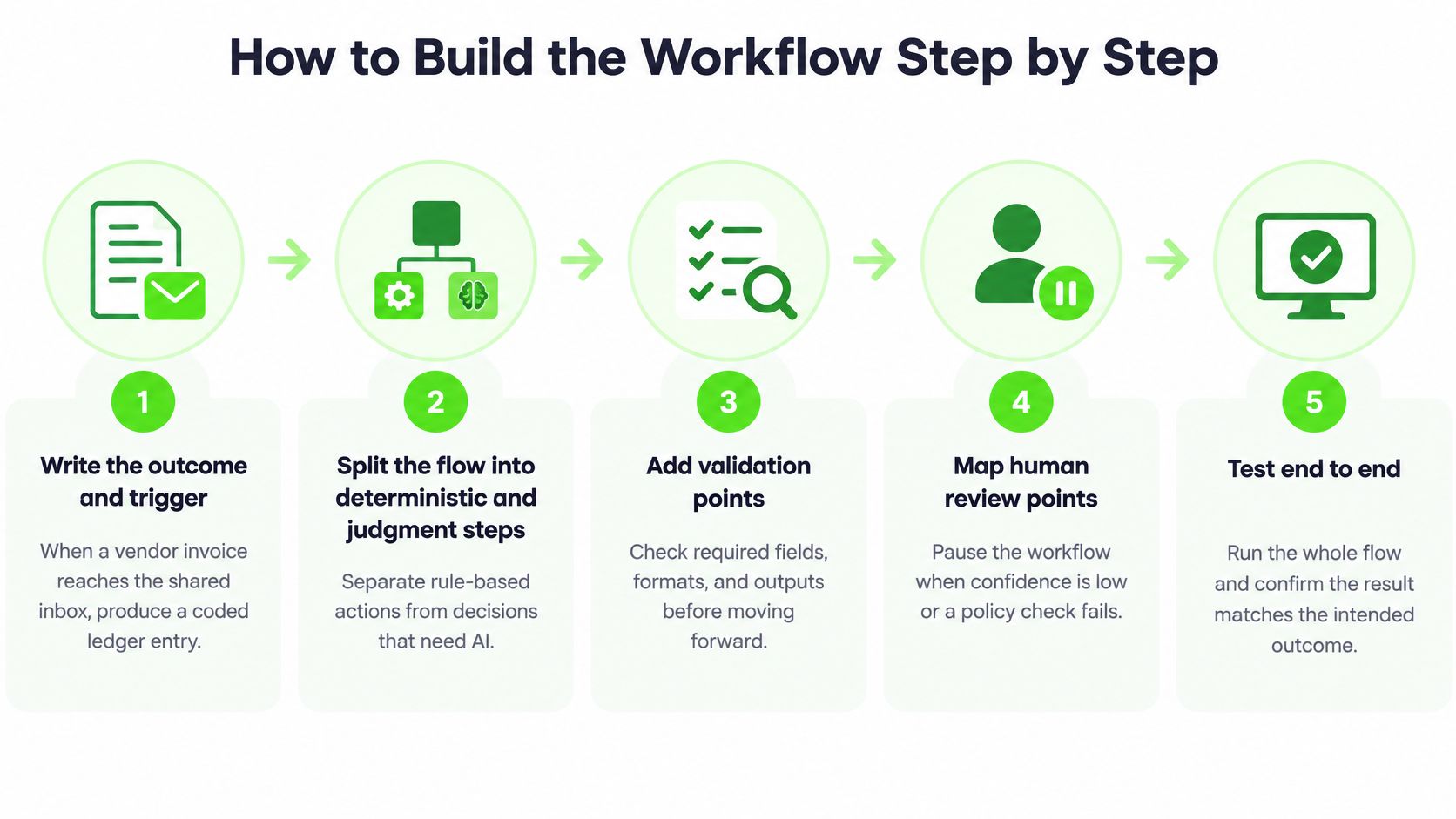
Write the outcome and trigger in one sentence. For example, when a vendor invoice reaches the shared inbox, produce a coded ledger entry. If you can't write that sentence, you don't have a workflow yet. Common slip: starting with "use AI on invoices."
Split deterministic steps from AI steps. Mark each AI step's inputs and outputs. Any step with a fixed rule stays out of the model, because rules are cheaper, faster, and testable.
Define a schema for every tool input and output. Reject any response that fails validation instead of passing it downstream. The Princeton security-focused agent-evaluation framework warns that an agent succeeding on 90% of tasks can still be unacceptable when the remaining 10% produce final actions without a human buffer. Schemas are part of that buffer.
Give each tool its own scoped credential. Follow least privilege. A shared admin key turns one bad step into a company-wide problem.
Make every write idempotent. Attach a unique case key to each write so a retry can't create a duplicate record. Retries without keys are the most common cause of double processing.
Log everything needed to reconstruct a case. Record the prompt version, retrieved context, tool calls, model version, output, and reviewer for every case.
Wrap the model call in one short function. Keep the logic identical across steps so failures behave predictably: Retry once on malformed output, then send the case to the review queue on the second failure. Never retry in a loop and hope.
Test before launch. Use normal, ambiguous, malformed, stale, and unauthorized inputs, plus one forced API outage. Add cascading multi-step failures, because that's where pilots and production diverge.
A Useful Comparison Case
Seller operations show the same pattern at smaller scale, with extraction, listing updates, and customer messages tiered by consequence. The write-up on AI workflow automation for Amazon sellers is a handy reference for how those steps separate drafting from execution.
Judge reliability at the workflow level, not by average model accuracy. A model can score well overall while the workflow still posts a bad ledger entry because a tool returned stale data and nobody validated it. That's why steps 3, 4, and 5 aren't optional extras. They're the difference between a demo and a system your finance team will trust at month end.
Set Confidence Gates and Human Review Points
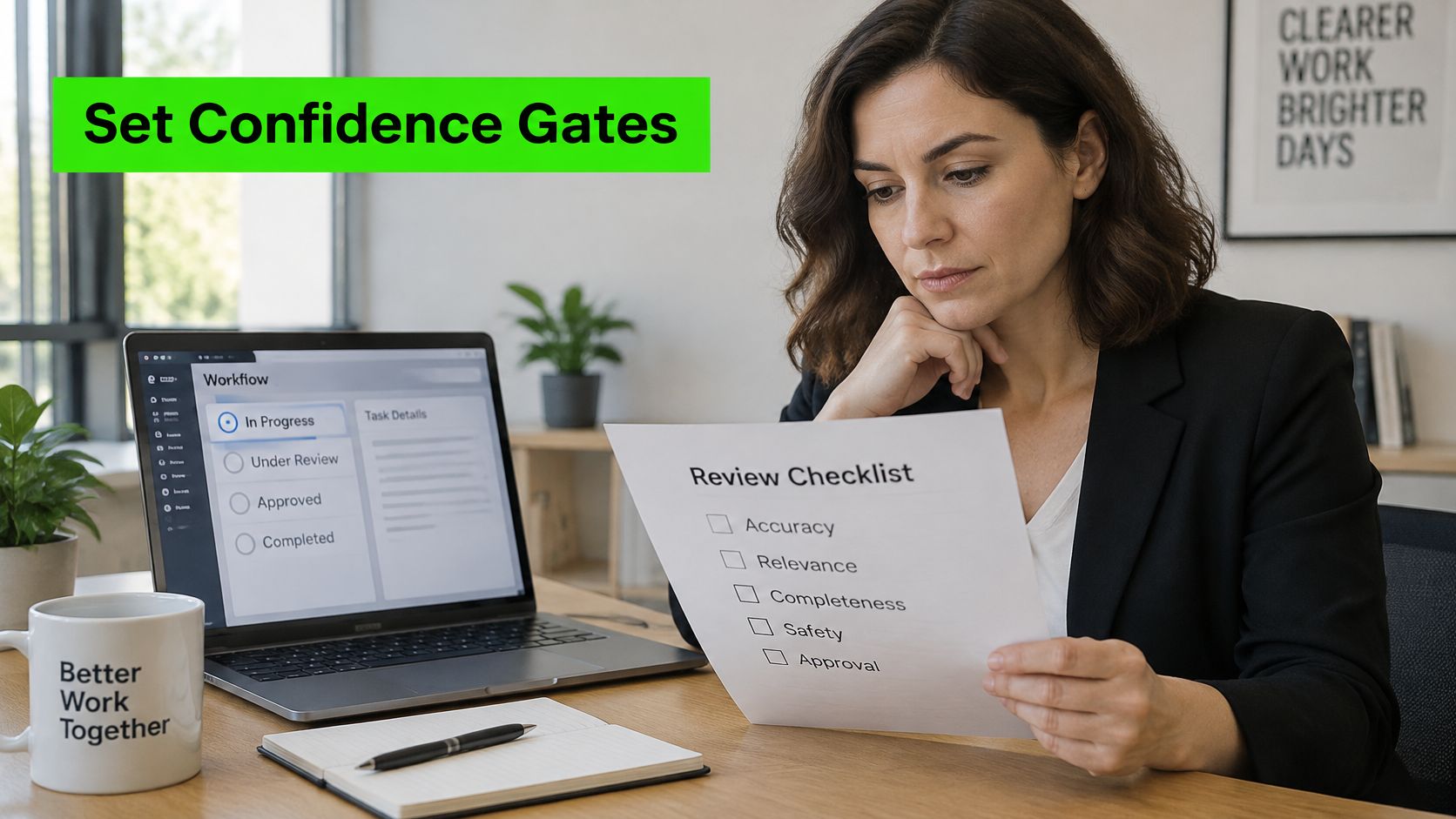
A gate is a pause with a reason. Use three triggers: confidence below a threshold, a failed policy check, or a failed tool-validation check. Set the threshold by risk tier, so a medium-tier step pauses on low confidence while a high-tier step always waits for approval.
The screenshot below shows the reviewer side of that pause, where the proposed action and its evidence sit next to the working record.
What the Evidence Shows
In an experiment covering 5,000 synthetic enterprise tasks across financial-data processing, code generation, and customer-support workflows, the gated design in the Springer study on dynamic human intervention achieved a 98.2% task-success rate, versus 84.3% for full autonomy and 99.1% for static human-in-the-loop control. Human review was required for 14.5% of decision steps, while mean latency fell 89% compared with static oversight.
Don't copy those numbers as a production promise. The tasks were synthetic and structured. Re-test with your own representative data, adversarial cases, API failures, and regulated actions before you widen autonomy. Track task success, intervention rate, latency, escalation precision, rollback frequency, and severity-weighted errors from day one, so you can see whether your gates catch real problems.
The reviewer screen matters as much as the threshold. Show the proposed action, the source evidence, and a one-click reject with a reason field. If reviewers must open three systems to verify one case, they'll start approving blind. For the mechanics of holding a case safely while it waits, AuricIDE's approach to waiting agents covers the state handling in practical terms.
The walkthrough below demonstrates a gated review flow in action, so you can see how a paused case presents to the person approving it.
Watch for two failure modes. If reviewers approve nearly everything without reading, your gates are misplaced or your evidence is too thin to judge. If the queue has no owner or timeout, cases stall. Sample the paused cases each week during the pilot and check whether the pauses caught real errors. If they didn't, move the gate.
Secure and Audit the AI Workflow
Security work is short to describe and expensive to retrofit. Put these five controls in before launch.
Scan retrieved content for injected instructions. Check every retrieved document and tool output for instructions that try to override policy, and block any tool call that wasn't in the approved plan.
Write an immutable audit record for each case. Include the prompt version, retrieved sources, tool calls, model version, output, reviewer identity, and override reason, stored with timestamps for the period your regulator requires.
Build an evidence map. Link each control to the record that proves it, including an approval record for every high-tier action, a documented rationale for every critical decision, and an access log for every tool credential. Our outline of an AI governance strategy shows how to structure that mapping.
Define incident response before launch. Set a severity ladder, name an owner, build a pause switch that moves the workflow to draft-only mode, and require a written review within 48 hours of any high-severity event.
Re-run the risk-tier map each quarter. New tools and higher volume change which steps are safe to automate, so have compliance and IT sign the updated map before any expansion.
Keep the logs readable. An auditor should be able to follow one case from trigger to final action without asking engineering for a tour.
Measure Real Value Beyond Task Volume
Task volume is the easiest number to inflate and the least useful one to report. A workflow can process more cases every week and still make the business worse. Measure before and after, or don't claim the win.
The reason is process quality. IBM research on AI process redesign found that only 37% of organizations had delivered the business value expected by senior leaders by the end of 2025, and executives estimated that 21% of AI ROI was lost to friction in the IT and business environment. Automating a broken process scales its errors, so map and simplify the process first.
Metrics to record before and after automation
Metric | What to record | Warning sign |
|---|---|---|
Cycle time per case | Median hours from request to completion | Faster cycles with rising rework |
Exception rate | Share of cases needing manual handling | Exceptions climbing after launch |
Rework rate | Share of outputs corrected by staff | Corrections clustering in one step |
Severity-weighted error rate | Errors weighted by business impact | One rare error type dominating the total |
Intervention rate | Share of decision steps sent to people | Near zero, which can mean gates are too loose |
Compute cost per completed case | Model and API spend divided by cases that passed checks | Cost rising while volume is flat |
Staff hours on the process | Weekly hours spent, including review time | Hours moved to review rather than removed |
The Dashboard Trap
Say an accounts payable team clears more invoices each week, but rework rises because the model step skips a tax field. The volume chart looks like a win while staff fix entries downstream. Count completed cases that passed a quality check, not raw tasks, and pair every speed metric with a rework metric.
Keeping human review on ambiguous or high-impact exceptions can lower your automation rate and still raise realized ROI, trust, and compliance resilience.
That trade-off is the point. Partial automation often beats full autonomy because the exceptions carry most of the cost and most of the risk. Before go-live, agree with finance and operations on the three numbers that will decide whether you expand. I'd pick cycle time, severity-weighted error rate, and staff hours including review time. If those three don't move together, the workflow isn't delivering, whatever the volume says.
Fix the Failures That Stall Production Workflows
Diagnose from the symptom, not the component. Production failures repeat in predictable patterns, and most of them trace back to a skipped build step.
Production symptoms, likely causes and fixes
Symptom | Likely cause | Fix |
|---|---|---|
Outputs are wrong but the run completes | No schema validation on model or tool outputs | Add schema checks and reject malformed responses |
Same record processed twice | Steps are not idempotent | Attach a unique case key to every write |
Cases stall in approval | Review queue has no owner or timeout | Assign a named approver and an escalation timeout |
Cost rises without volume growth | Retries on failing calls or oversized context | Cap retries and trim retrieved context |
Agent acts outside scope | Shared, broad credentials | Scope each tool to least privilege with its own key |
Strong pilot, weak production results | Tests used clean sample data only | Add ambiguous, stale and malformed inputs to the test set |
Work the Symptoms in Order
Wrong outputs that complete cleanly come first. That's step 3 from the build, missing schema validation, and it's usually a day's work to add. Duplicate records come next. That's step 5, no idempotency key, and it corrupts downstream reporting every day it runs. Both fixes are cheap compared with cleaning up the records afterward.
The slower fixes need scheduling, not heroics. Redesigning an approval queue with a named owner and timeout, and rescoping credentials per tool under step 4, often takes about a week because other teams own parts of it. Book that work before launch. After an incident, you'll be doing it under pressure with the workflow switched off.
A workflow can also look healthy while it's failing. Aggregate success hides the rare case that takes a final action with no human buffer, and at production volume that rare case arrives weekly. Set your rollback triggers in advance: a rising severity-weighted error rate, a spike in duplicate writes, or any tool call outside its scope.
When a trigger fires, switch the workflow to draft-only mode, keep logging running, and replay the paused cases once the fix passes the test set. Don't just restart and watch. Then ask the only question that improves the system: which test case would have caught this, and was that case in the suite? If it wasn't, add it before you re-enable execution.
Decide Whether to Build In-House or Hire a Partner
The right build decision depends on who can own the workflow after launch, not just who can assemble a demo. Compare the options on four points: time to production, control and audit needs, available skills, and ongoing operating cost.
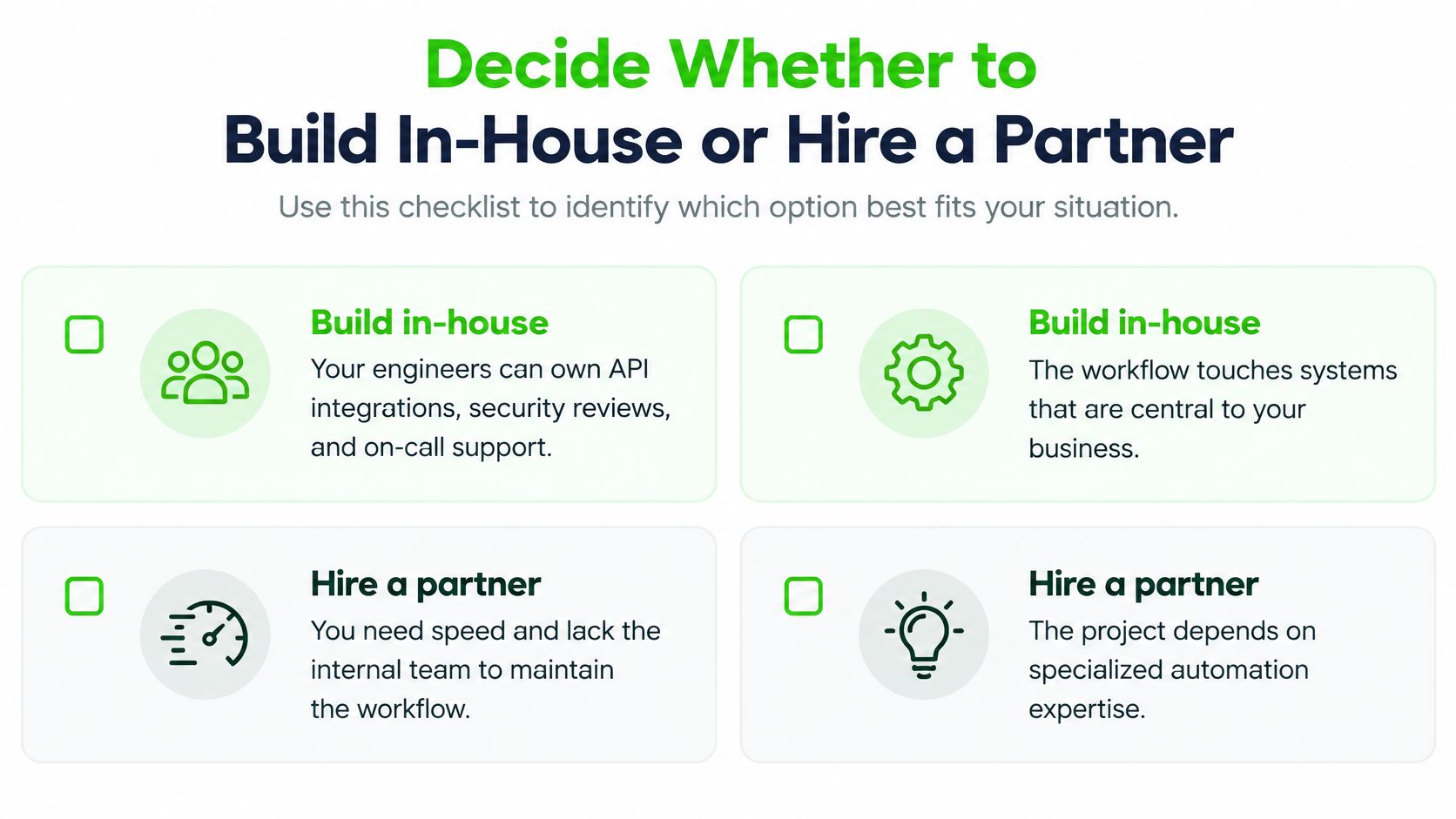
Build in-house when your engineers can own API integrations, security reviews, and on-call support, especially if the workflow touches systems you cannot expose to a third party. A partner may fit better when you need a production workflow quickly or your team lacks the capacity to design governance and coordinate changes across teams. Use this guide to assess the skills an AI integration specialist brings against the gaps in your team.
Freeform is one provider to consider. Its work is organized into four teams: Target, Architect, Deploy and Measure. Freeform Agency AI has been an Inc 500 company since 2016. Compare any provider's proposed workflow with your own risk tiers, baseline measures, and sample decision logs. Put those requirements in your scoping brief before selecting a partner.
If you are planning a governed AI workflow or have one stalled in review, Freeform Company offers services across digital compliance, data protection, and AI integration. Its four-team structure brings targeting, architecture, deployment, and measurement into the work. Start the conversation with your risk-tier map and a clear outcome you need the workflow to achieve.